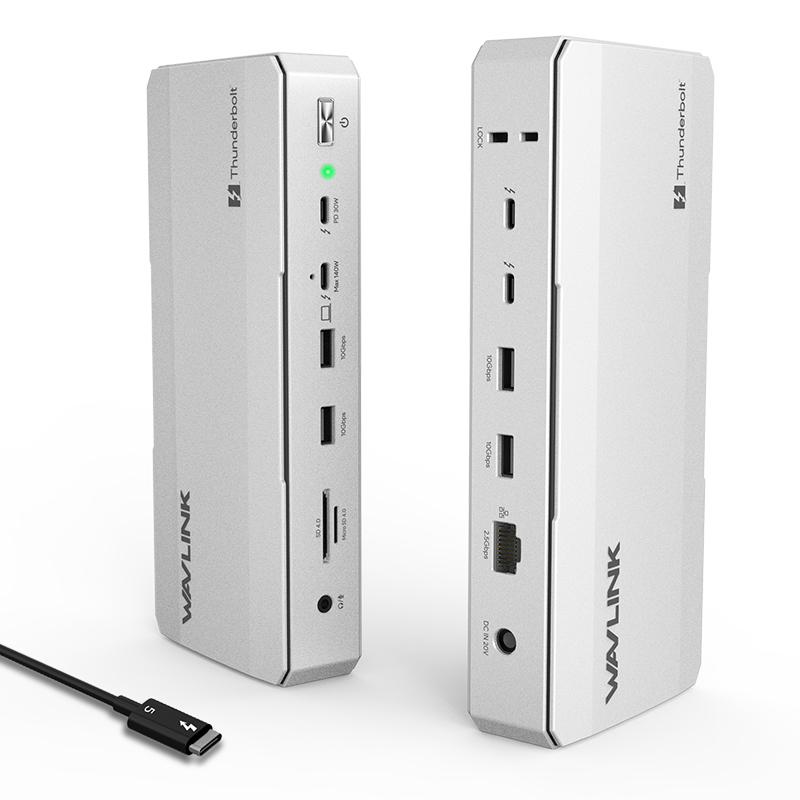
NexaDock
Model: WL-UTD59
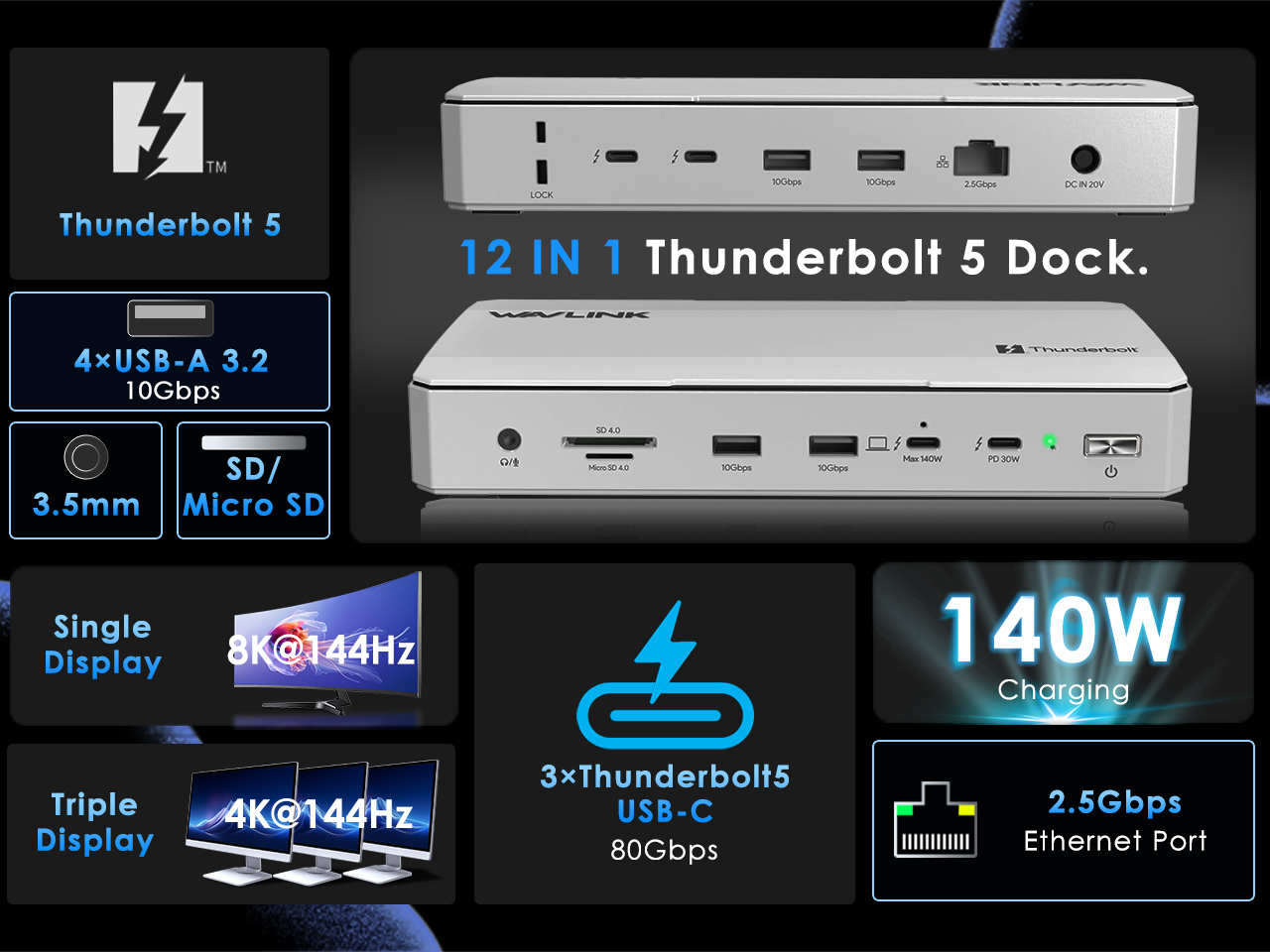
- 1* Thunderbolt™5 UFP provides 80Gbps data, 120Gbps bandwidth video transfer, 140W instant charging for the USB-C laptop.
- 3* Thunderbolt™5 DFP provide 80Gbps data, dual 8K@60Hz or triple 4K@144Hz display at 120Gbps bandwidth, one of them supports 30W instant charging for the downstream devices.
- 4* USB-A transfer speed up to 10Gbps, and compatible with USB 3.0/2.0.
- 1* RJ45 Ethernet provides efficient transfer, low-latency game experience, stable wired network.
- 1* UHS-Ⅱ SD/Micro SD card reader transfers high-definition video and vivid images at 312MB/s, and compatible with UHS-Ⅰdevices.
Color: Silver, Meteorite Gray
Discover the official WAVLINK Thunderbolt 5 Dock. Experience up to 120Gbps bandwidth, 140W PD 3.1 fast charging, multi-display support for Mac & Windows, and a full suite of high-speed ports.
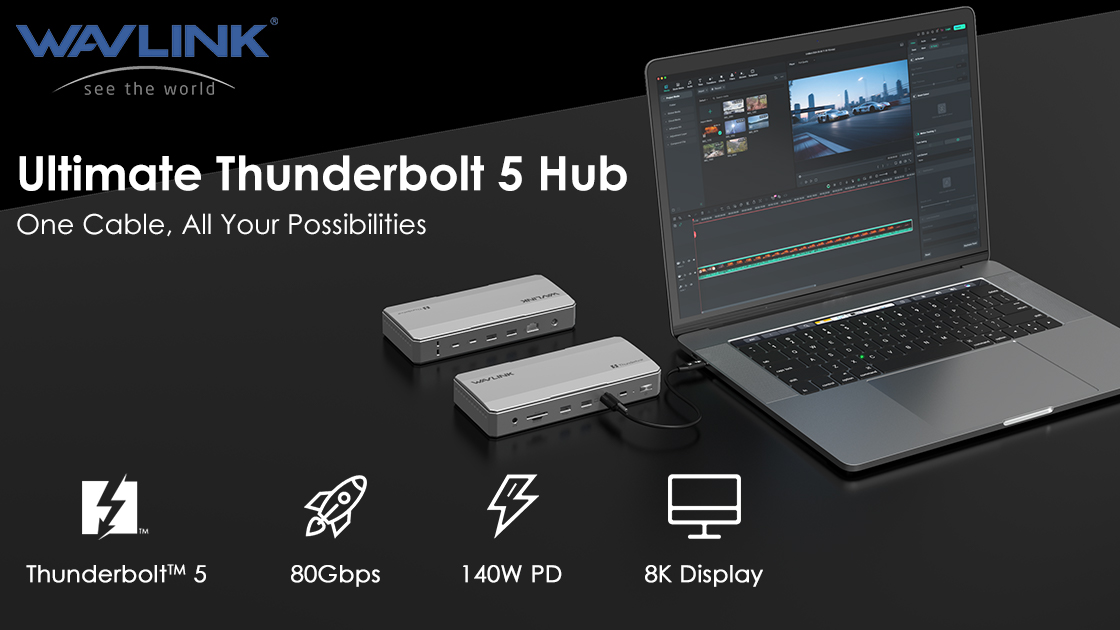
Works seamlessly with Thunderbolt 4/5 eqiupped Windows 11+ and macOS 14.6+ systems. Compatible with top brands like Apple, Dell, Razer,and more.

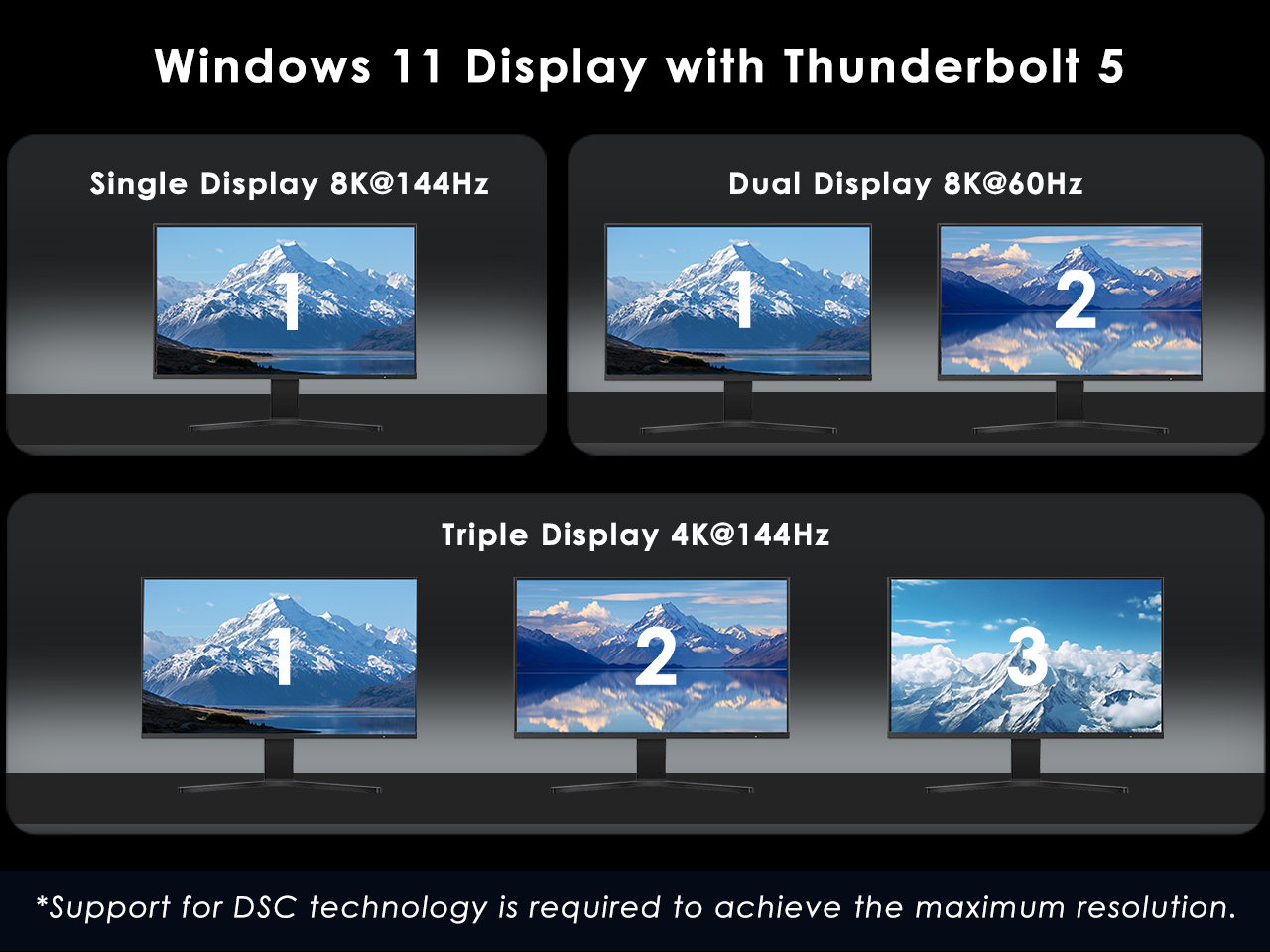
Unlock ultimate productivity on Windows 11+ PCs with Thunderbolt 5. Drive up to three external displays in stunning high resolution and refresh rates for an immersive workspace.
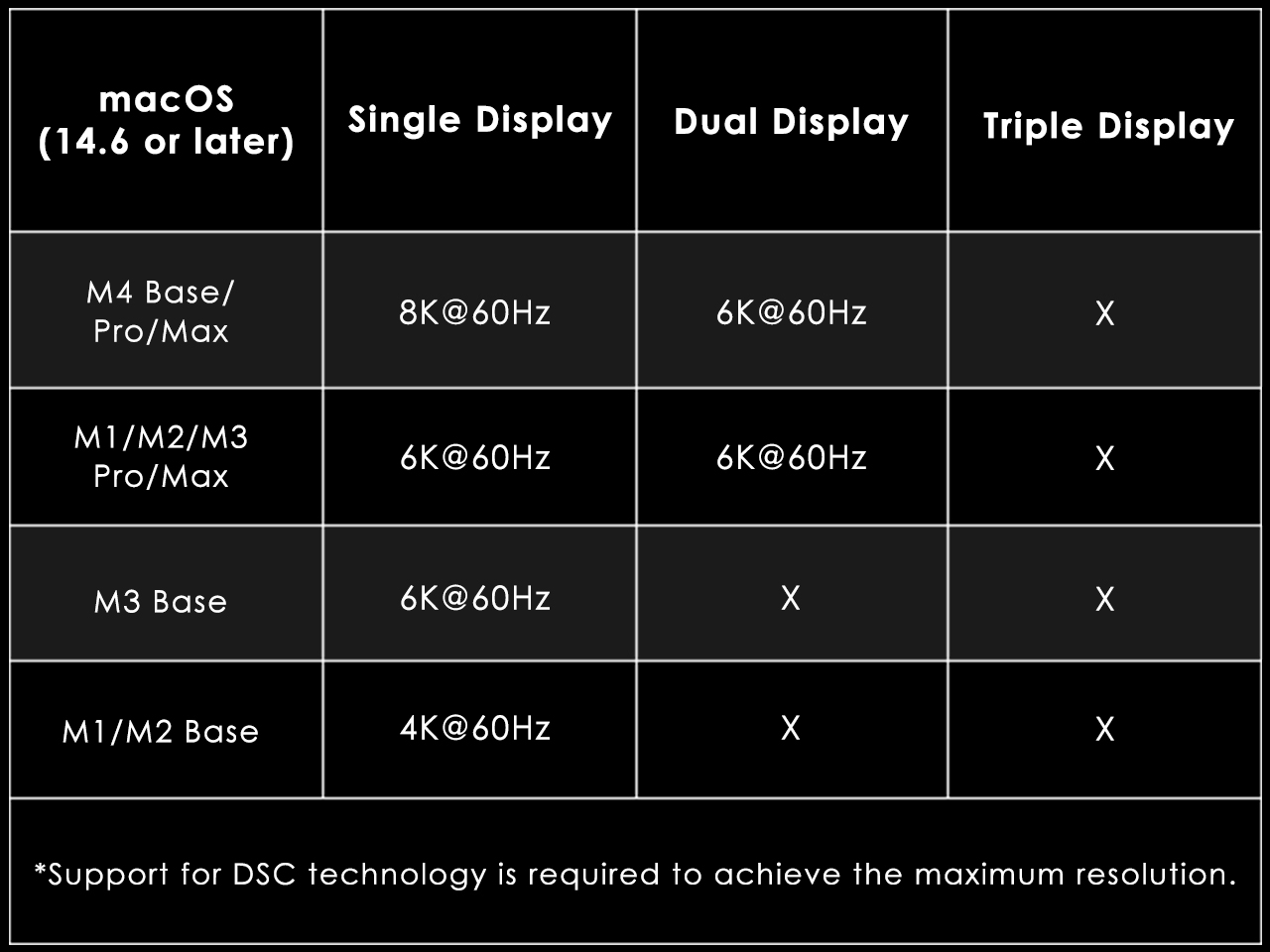
Perfectly complements your Mac. Supports up to dual 6K@60Hz displays on compatible M-series Pro/Max/M4 Base, creating a powerful creative or professional workstation.
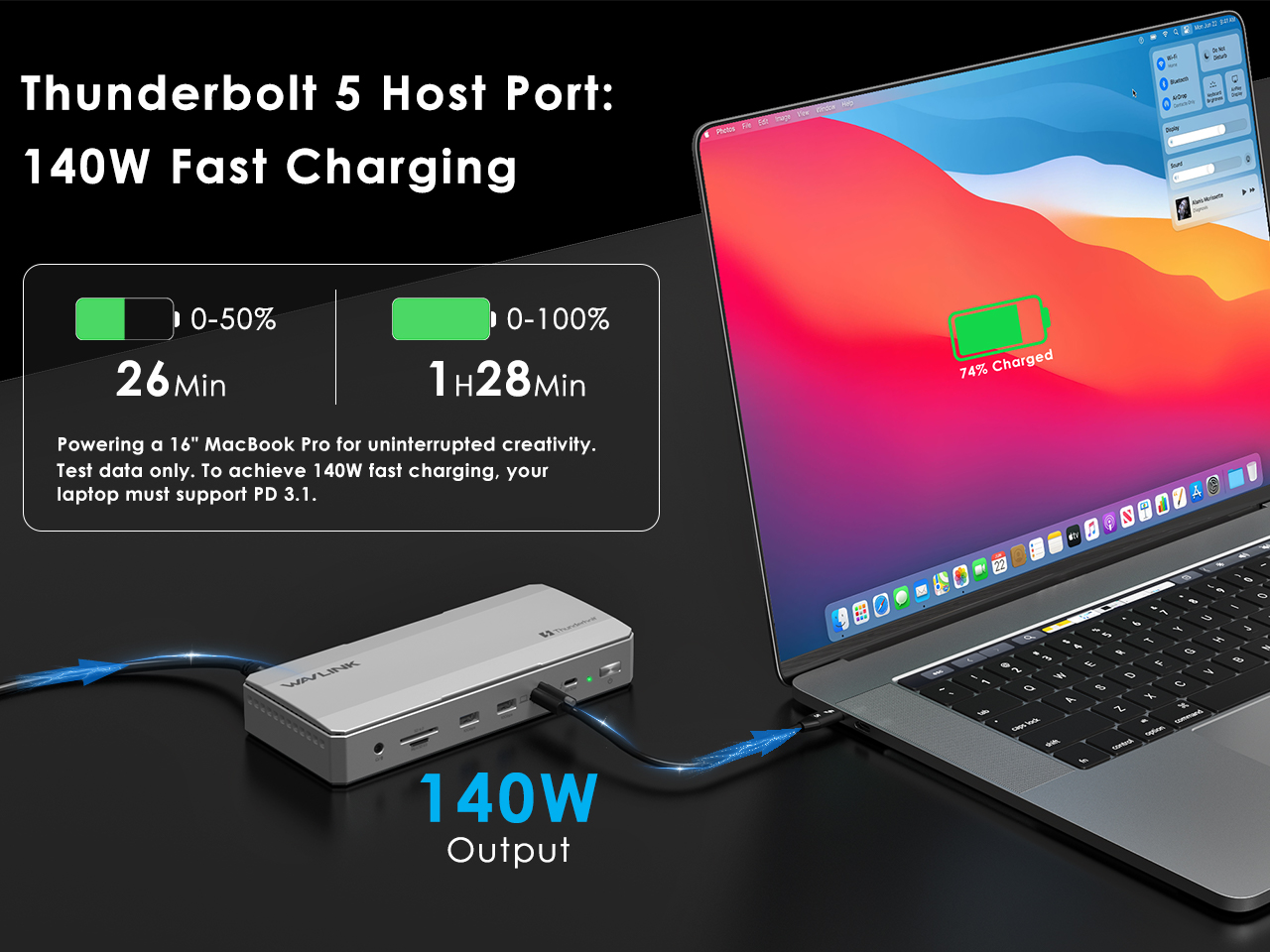
Keep your high-performace laptop powered with up to 140W PD3.1 fast charging through the host port. Power through your most demanding tasks without interruption.
This 12-in-1 features Thunderbolt 5,high-speed USB-A 10Gbps, 2.5Gbps Ethernet, and a UHS-II card reader, connecting all your essential devices through a single cable.
SPECIFICATION
| Connection To Host | 1M Thunderbolt 5 Cable |
| Plug & Play | No Driver required. |
| Solution | JHL9480、PMG1-S3,CCG8D,PS5512,RTL8156B,GL3231S,SSS1700. |
| Computers | Works with Thunderbolt 5, Thunderbolt 4, USB4, USB3.0 computers. |
| Operating Systems | Windows 11 or higher, Mac OS 14.6 later(M chip) or higher |
| Port | Thunderbolt 5 UFP * 1, Thunderbolt 5 DFP * 3, USB31-A 10G * 4, 2.5G RJ45 * 1, SD/TF 4.0 * 1, 3.5MM Audio * 1 |
| LED | 1 x Power indicator light |
Please ensure that your laptop’s USB-C port supports power delivery (PD).
Also, make sure you are using the Thunderbolt 5 cable that comes with the dock.
1.Your laptop must be equipped with a Thunderbolt 5 port.
2.Please use the original thunderbolt 5 cable.
Thunderbolt 5 is a newer technology that was not available when Thunderbolt 3 devices were developed. As a result, most Thunderbolt 3 PCs do not support Thunderbolt 5 docking stations.
Due to the bandwidth limitation of Intel Thunderbolt, the maximum speed is limited about 1300-2000Mbps.
This Thunderbolt 5 docking station can reach up to 8K resolution, and the resolution and refresh rate of the docking station's video downstream ports depends on the graphics card capability of your computer.
It is normal for the dock to generate heat while operating. For better heat dissipation, we recommend placing the dock in a well-ventilated, open area.
Get the Scoop First
Subscribe to our official website to receive exclusive first-hand news and stay up-to-date on our new product releases and promotions!