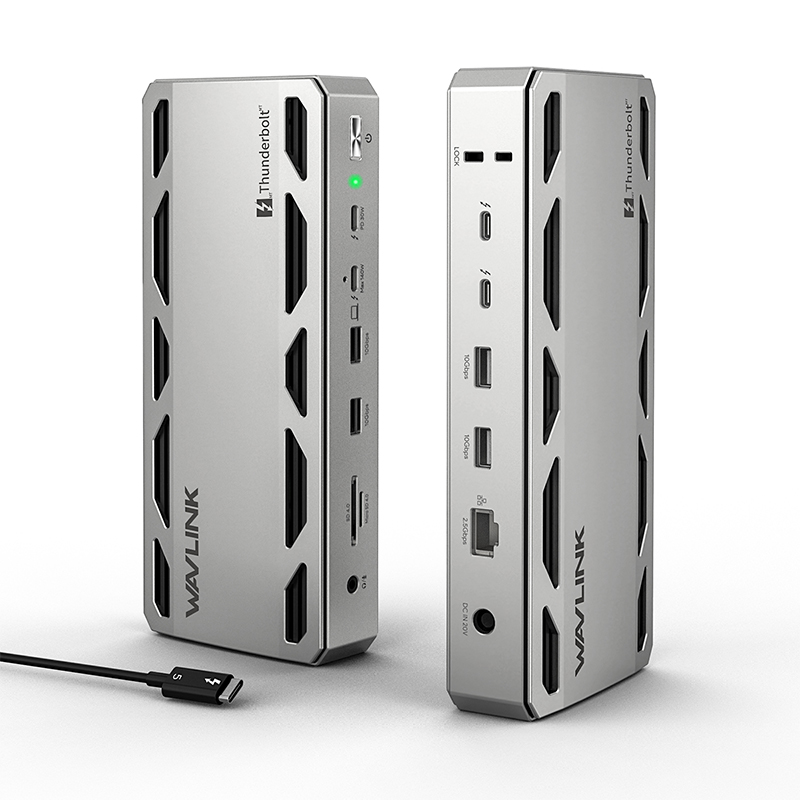
Model: WL-UTD58-M
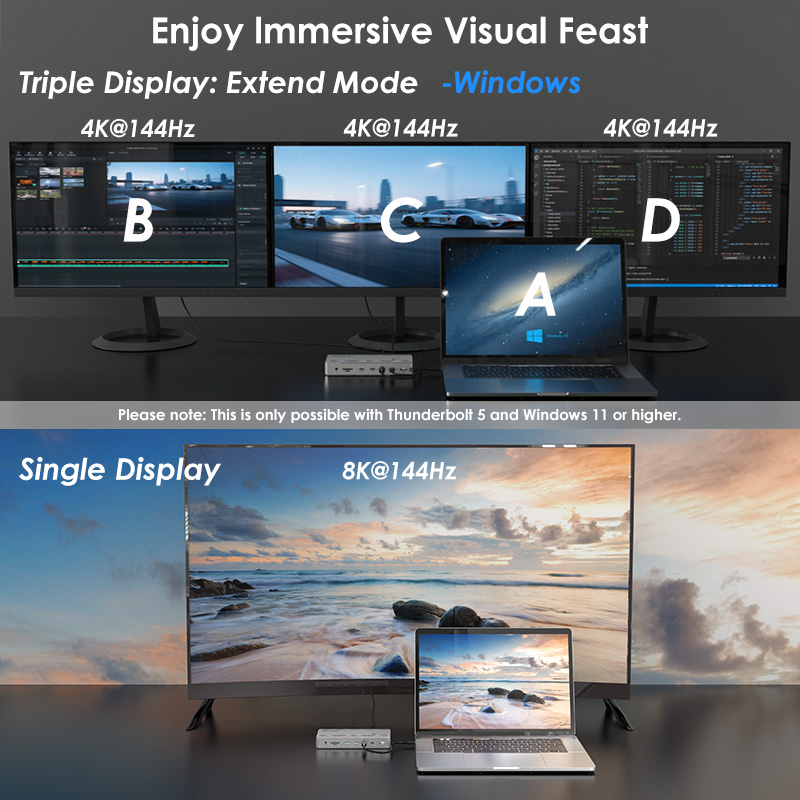
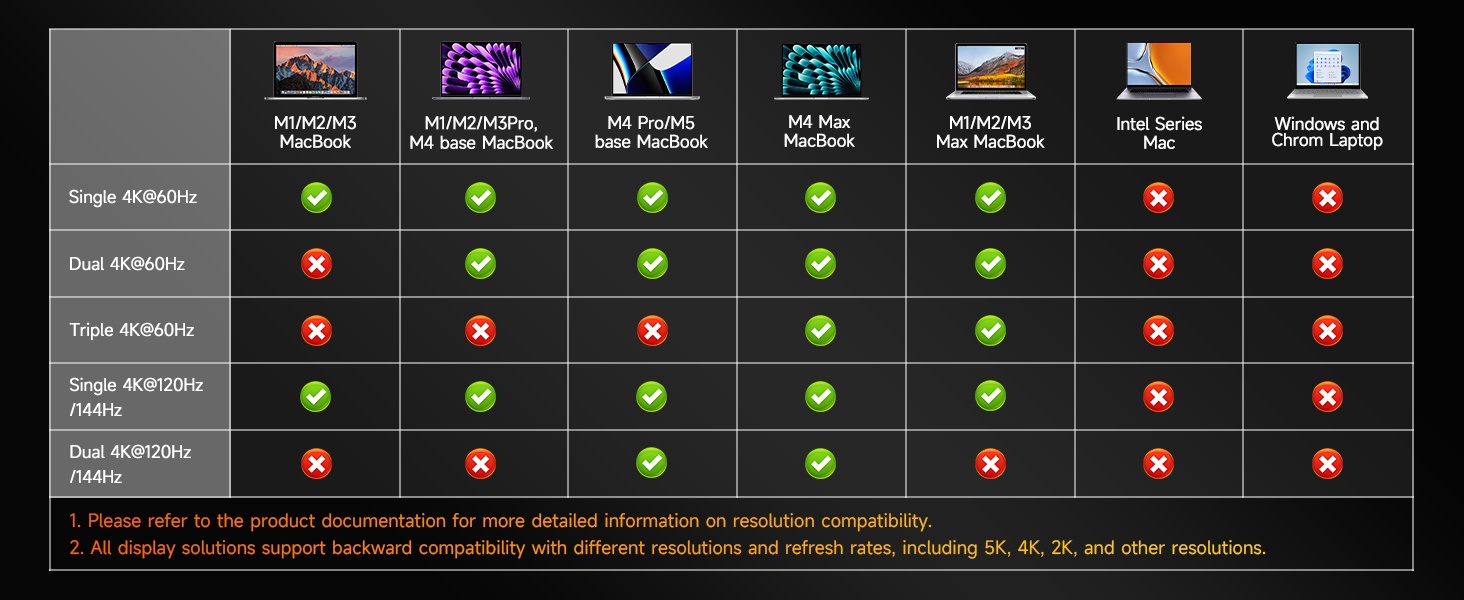
For Windows: Supports up to three screens with up to 4K resolution and a 144Hz refresh rate.
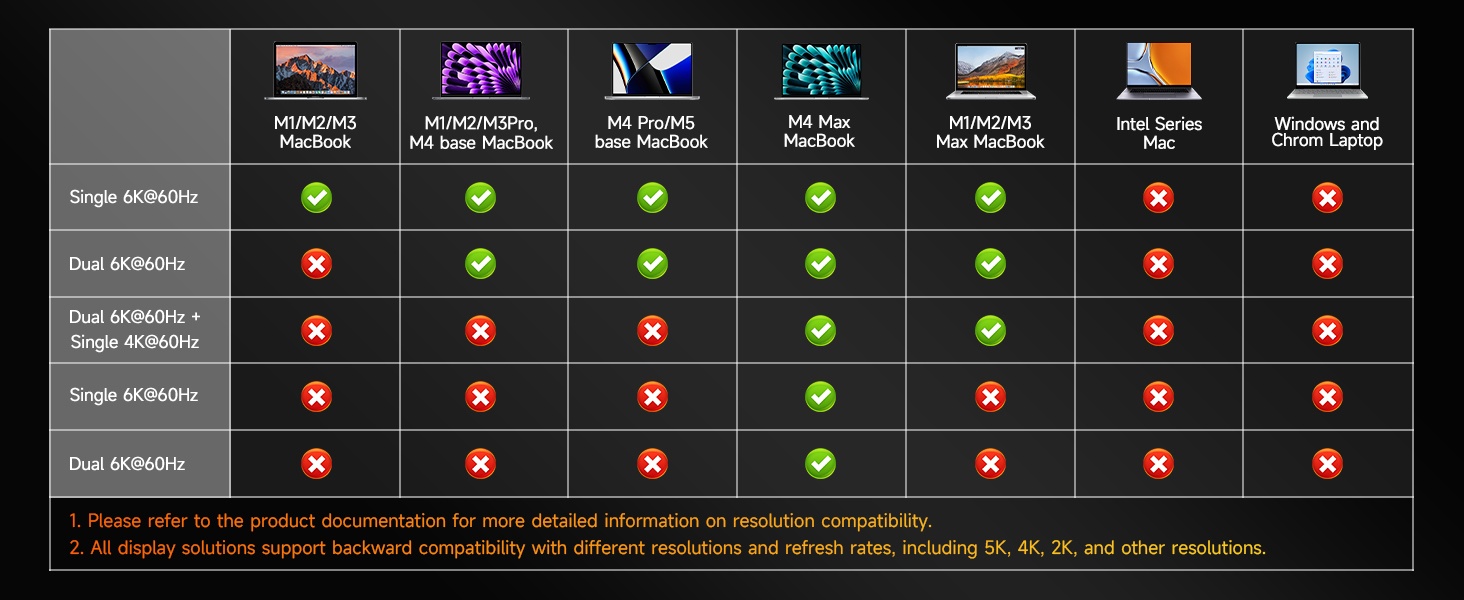
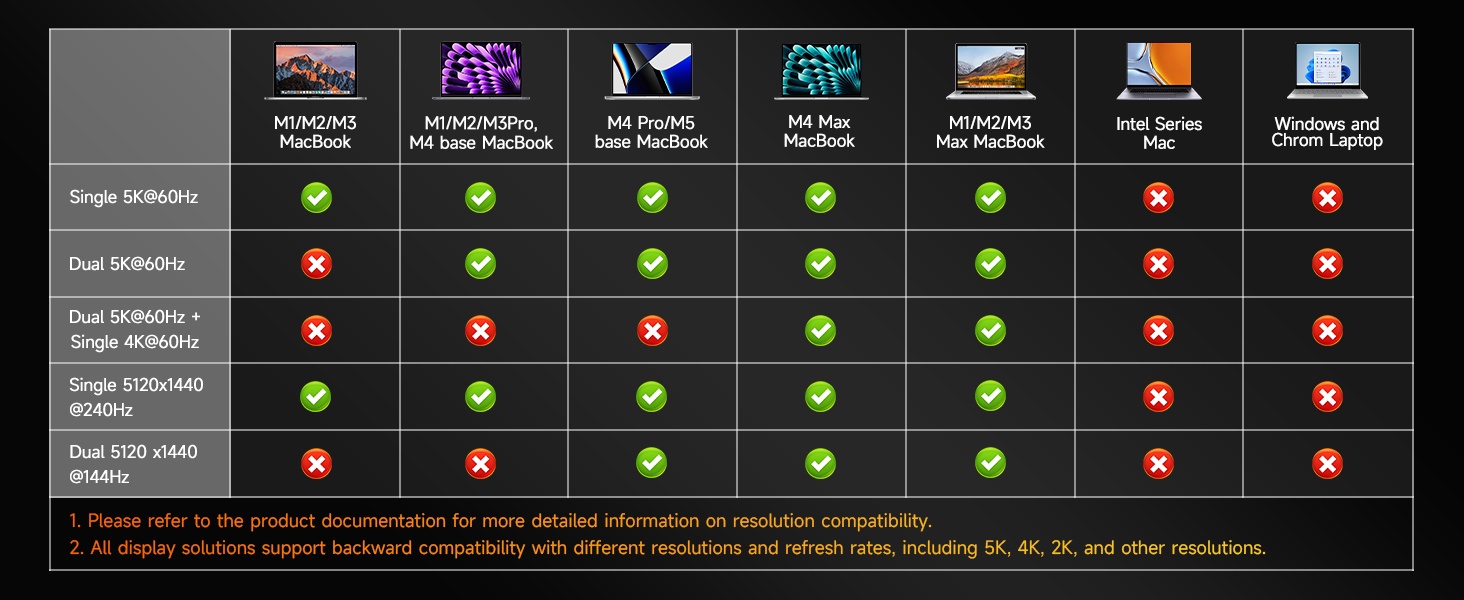
For Mac: Supports up to two screens with up to 6K resolution and a 60Hz refresh rate.
3. Built-in SSD Slot with Transfer Speeds Up to 6000MB/s:
Brings you closer to the experience of an all-in-one workstation.
4. 13-in-1 Full-Function Expansion Hub:
Simultaneously supports multi-screen display, device charging, high-speed data transfer, and more — all with stable, smooth performance.
5. Aluminum Alloy Body:
Sleek, premium design with excellent heat dissipation.
6. Built-in Smart Temperature-Control Silent Fan:
Effectively manages temperature under heavy loads, delivering consistent performance without any noise.
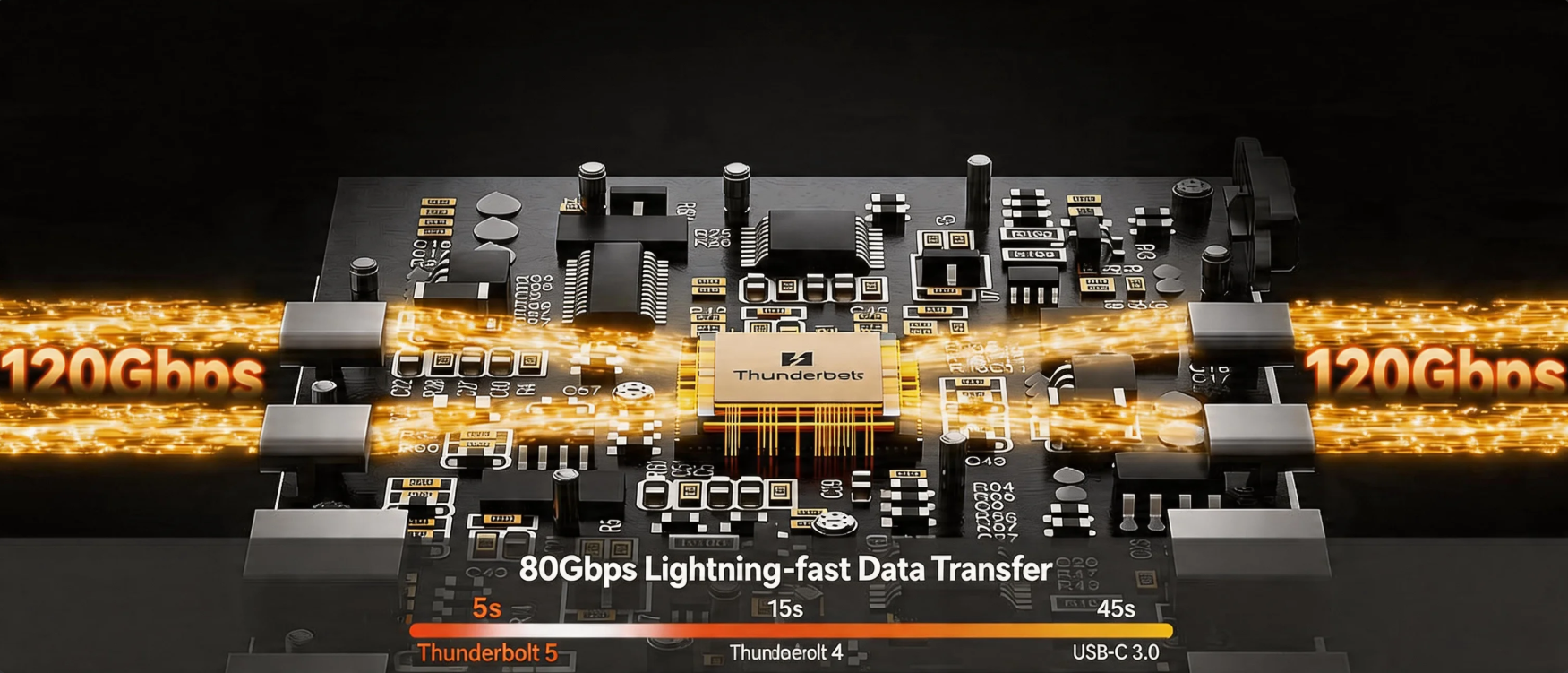
As creative and AI workloads continue to evolve, performance should never be the bottleneck. The WAVLINK 13-in-1 Thunderbolt 5 Docking Station delivers blistering transfer speeds of up to 120Gbps, drastically accelerating large file transfers and media processing—making editing, design, and data-intensive tasks smoother than ever.
With up to 140W PD charging, it effortlessly powers high-performance devices, while the versatile port layout supports multi-screen productivity and seamless collaboration. Plus, the integrated M.2 SSD slot offers read/write speeds up to 6,000MB/s, providing high-speed storage that keeps up with the demands of professional content creation.
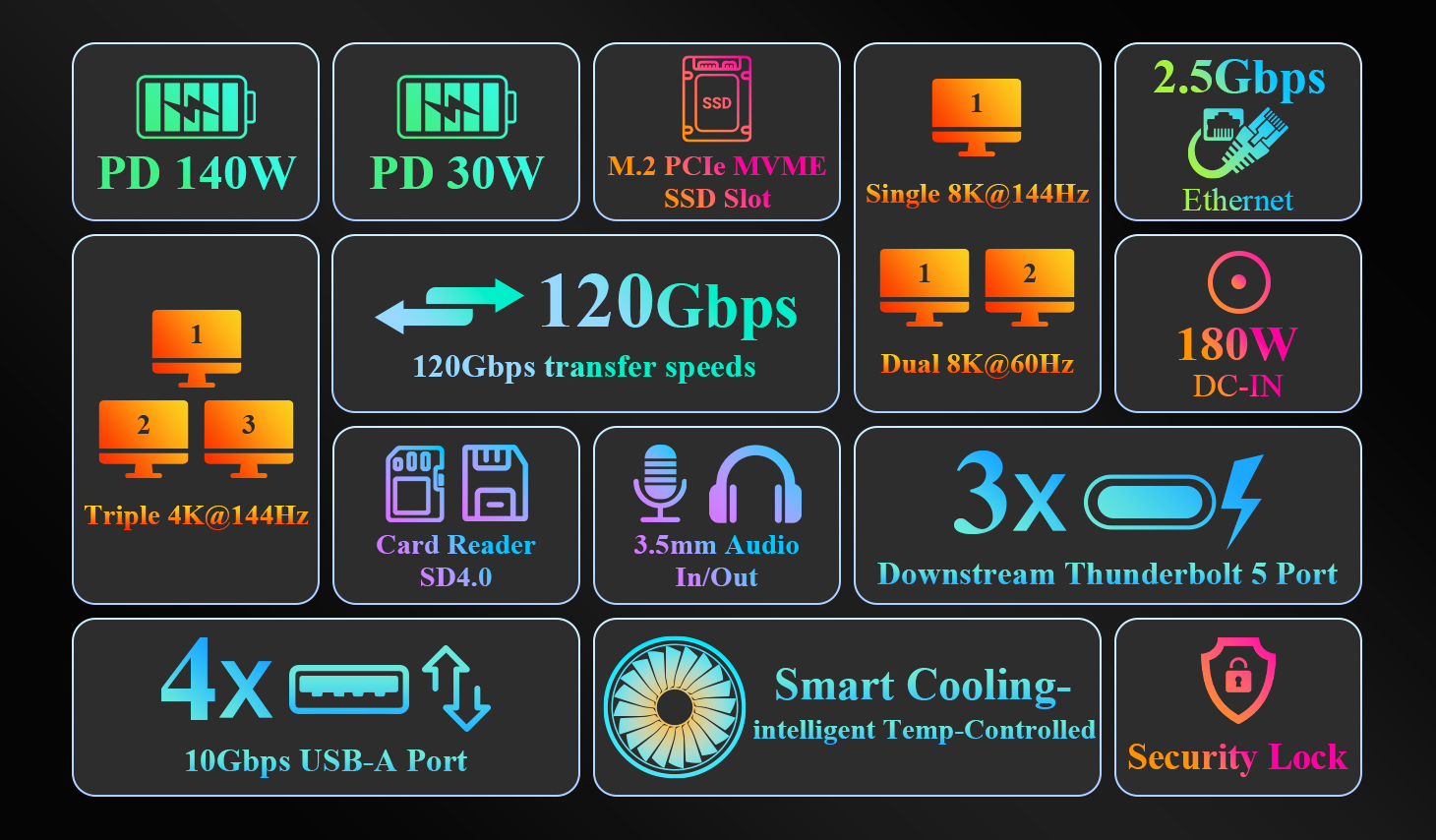
Unlock ultimate efficiency with 120Gbps of blazing-fast throughput and high-speed M.2 SSD storage for seamless rendering and editing. With up to 140W PD charging to power your high-performance gear, you can conquer your heaviest creative projects with zero compromise.
Unlock seamless multitasking by connecting up to three monitors, backed by 120Gbps of bandwidth for crystal-clear, lag-free performance. Its compact, silent-cooling chassis is engineered to deliver a clean, professional setup that works as hard as you do.
Experience rock-solid stability with high-speed data transfer and robust power delivery, allowing you to run multiple demanding devices simultaneously. Whether you’re gaming, streaming, or recording, performance remains fluid and responsive, while the whisper-quiet fan ensures your longest sessions stay cool and uninterrupted.
Your workspace, simplified. Featuring massive expansion, rapid storage, and high-wattage power delivery, this hub seamlessly handles your displays, networking, and peripherals. Reclaim your desk space, eliminate cable clutter, and master your remote workflow.
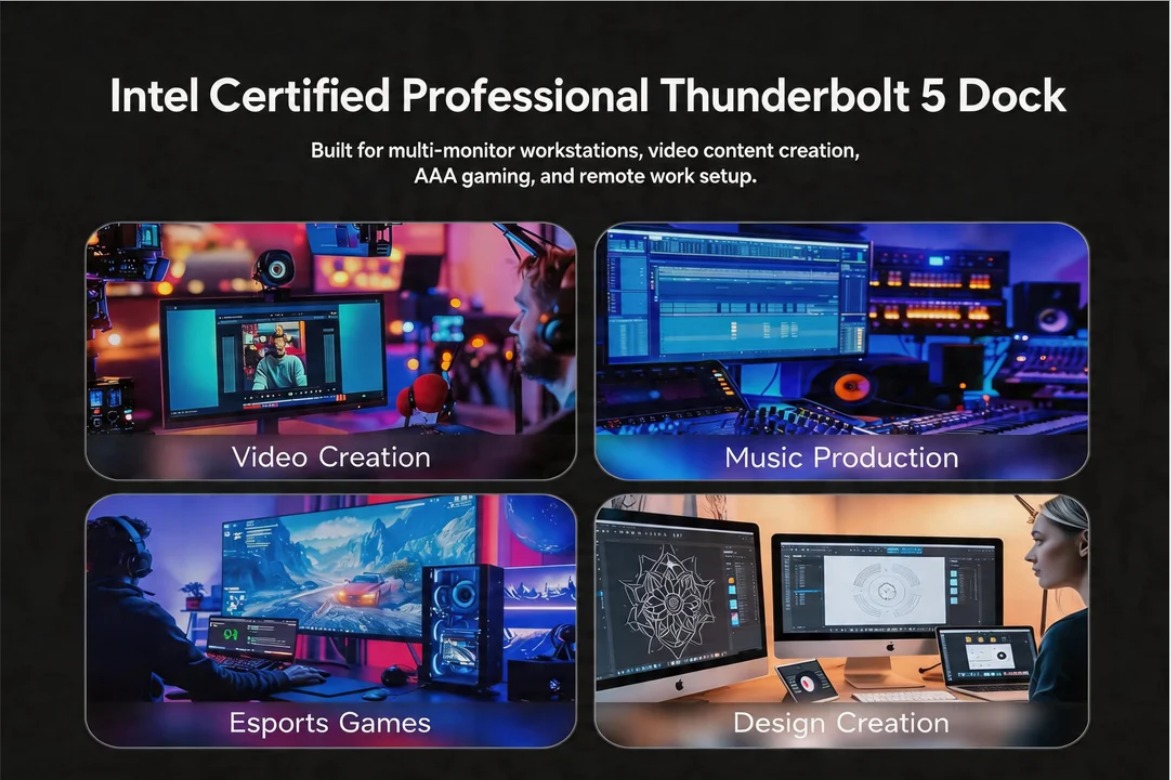
Powered by an Intel-certified Thunderbolt 5 chip, this dock is engineered for uncompromising reliability. Eliminate connectivity anxiety—no more signal drops, compatibility hurdles, or stuttering. Whether you are running a complex peripheral suite or tackling heavy-duty workloads, enjoy seamless, rock-solid stability that keeps you focused on your best work.
With blazing-fast transfer speeds of up to 120Gbps, you can stop waiting and start creating. Whether you're moving massive files or juggling intensive tasks, everything stays smooth, stable, and effortless—keeping you a step ahead in every project.
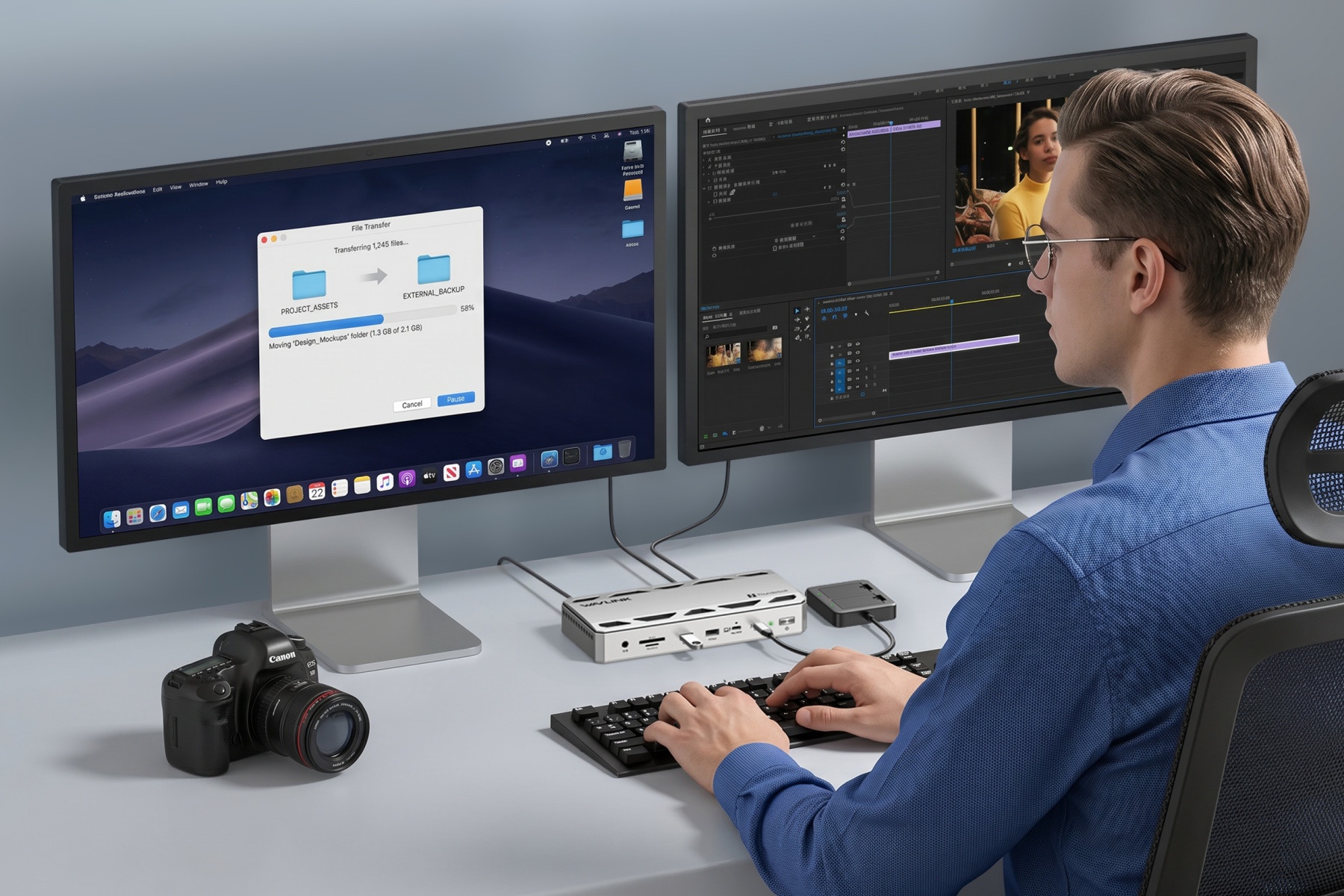
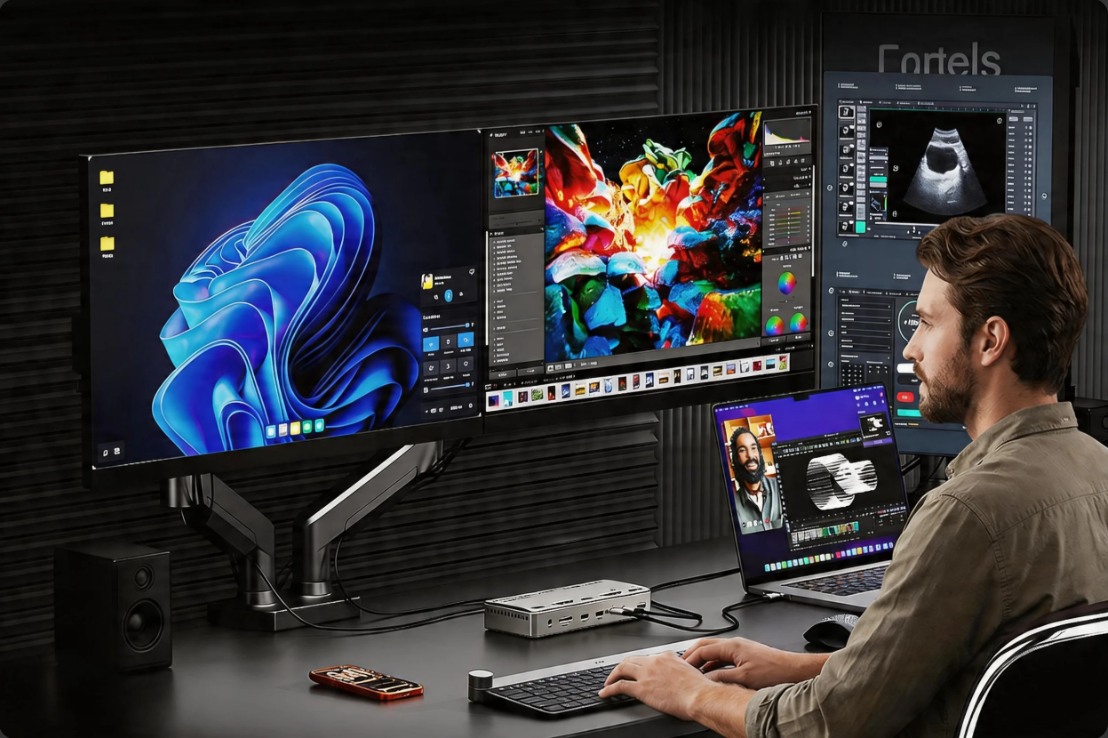
Drive dual 8K@60Hz displays for breathtaking clarity and fluid, precision editing. Coupled with the immense bandwidth of the Thunderbolt 5 interface, your massive media libraries become instantly accessible with zero latency. Whether collaborating across multiple screens or handling complex rendering, your workflow remains smooth, responsive, and uncompromising at every step.
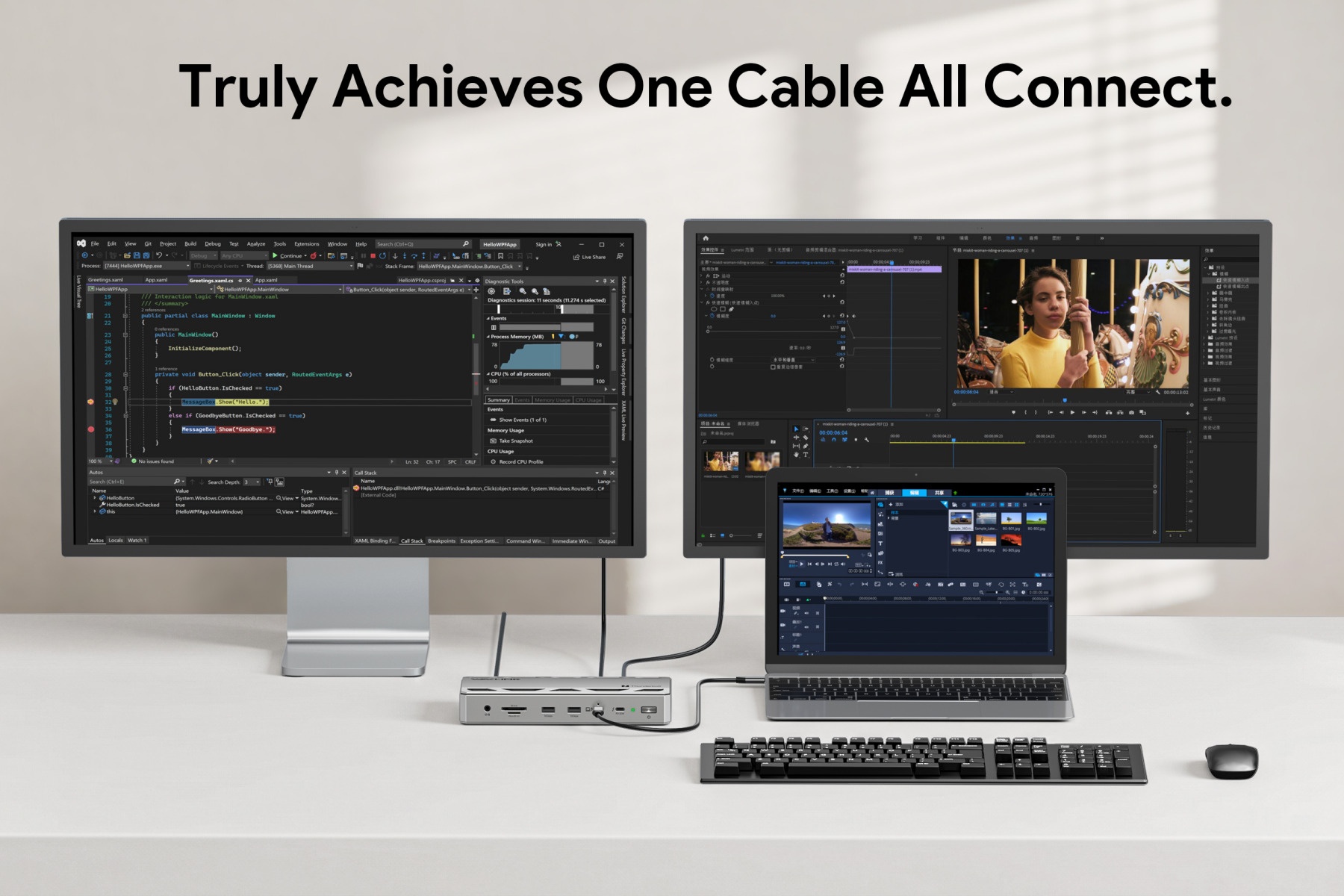
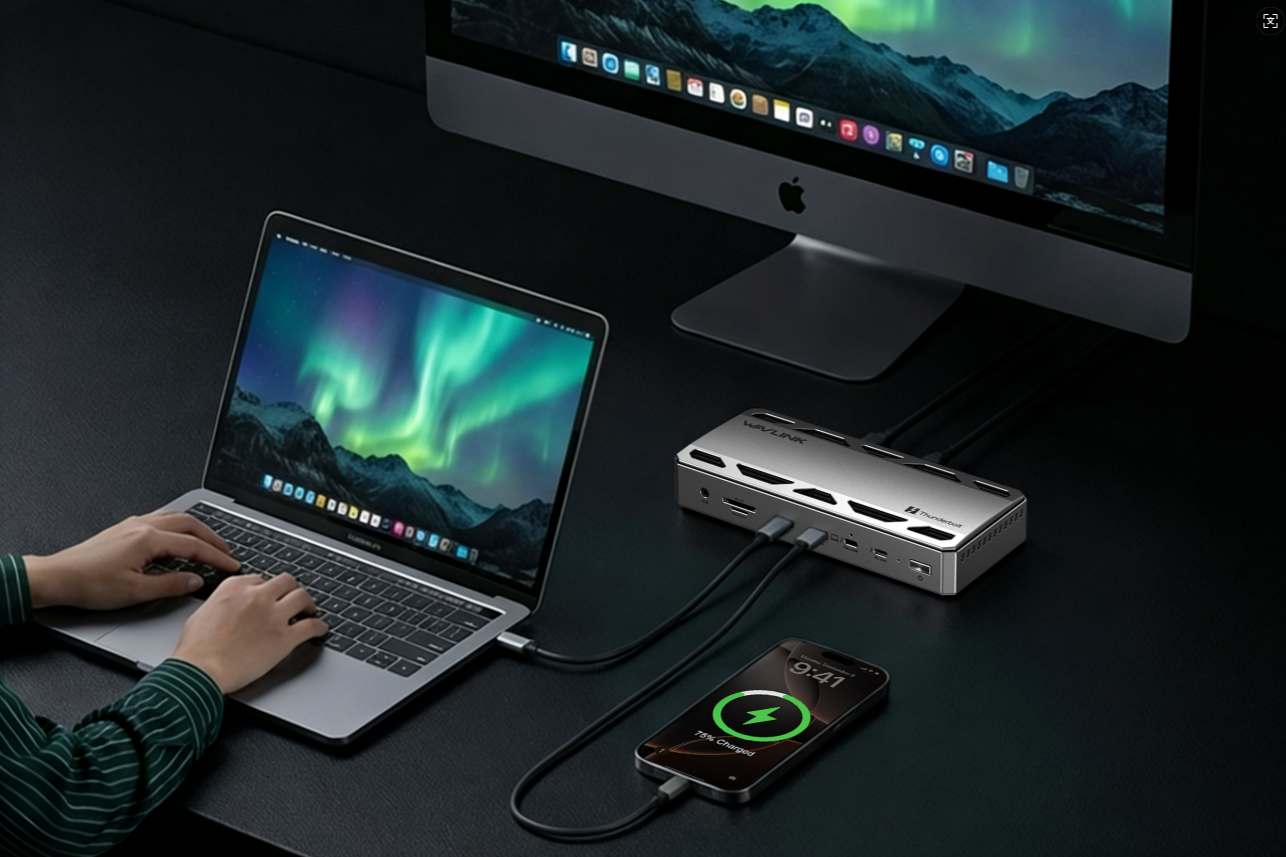
The ultimate one-cable solution. A single Thunderbolt 5 cable handles your multi-screen setup, high-wattage power delivery, and every peripheral simultaneously. Eliminate cable clutter and constant plug-swapping—transforming your workspace into a unified, efficient command center.
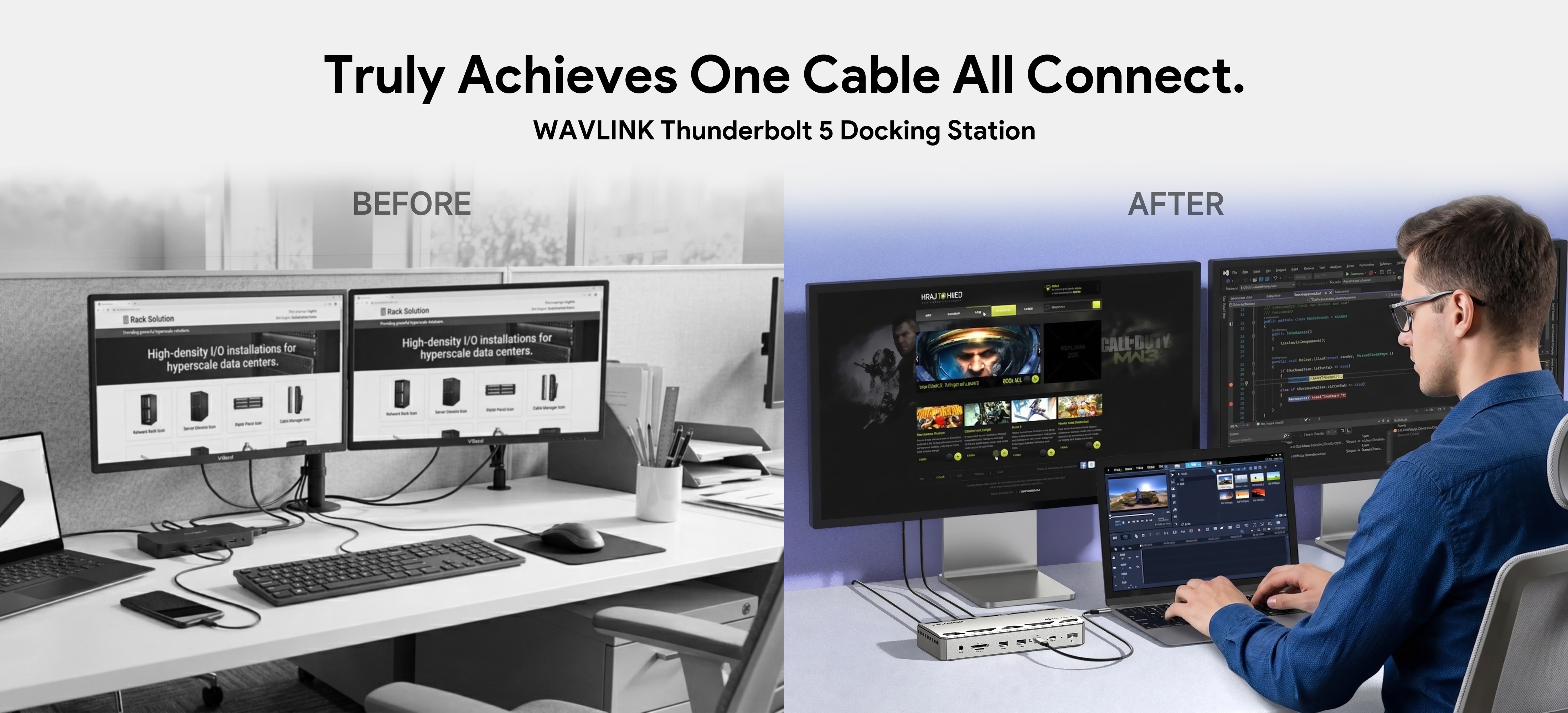
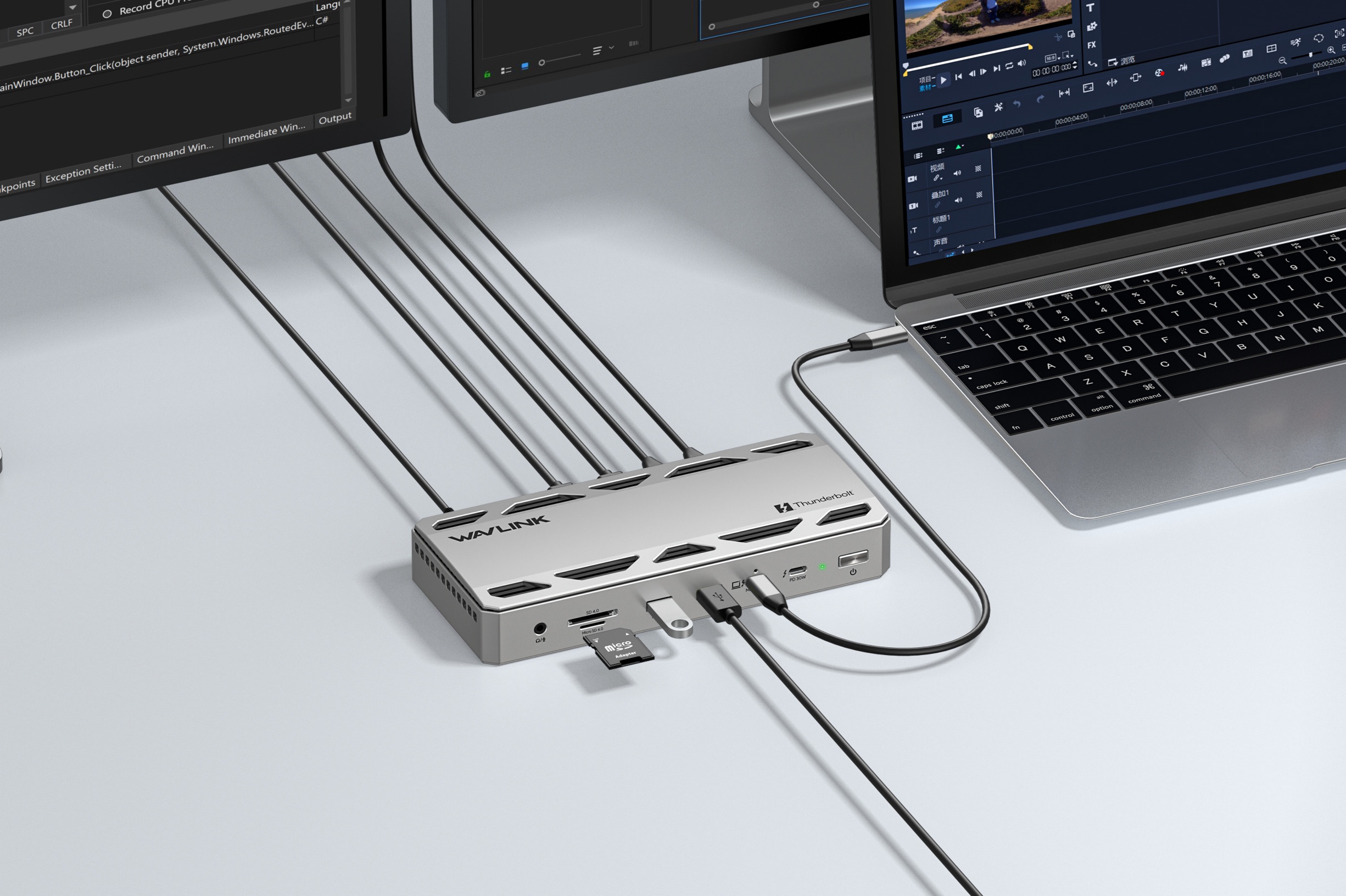
From driving multiple high-resolution displays and powering your laptop to managing your entire suite of peripherals and high-speed media, this hub handles it all effortlessly. Say goodbye to cable chaos and constant swapping. With this single Thunderbolt 5 dock, you’re not just clearing your desk—you’re upgrading to a streamlined, high-efficiency workstation.
Crafted from premium aluminum, this dock features an intelligent thermal system and a whisper-quiet fan for efficient, high-performance heat dissipation. Smart cooling activates automatically during intense tasks, keeping your system stable and noise-free. Stay completely immersed in your work, without ever being distracted by hardware noise.
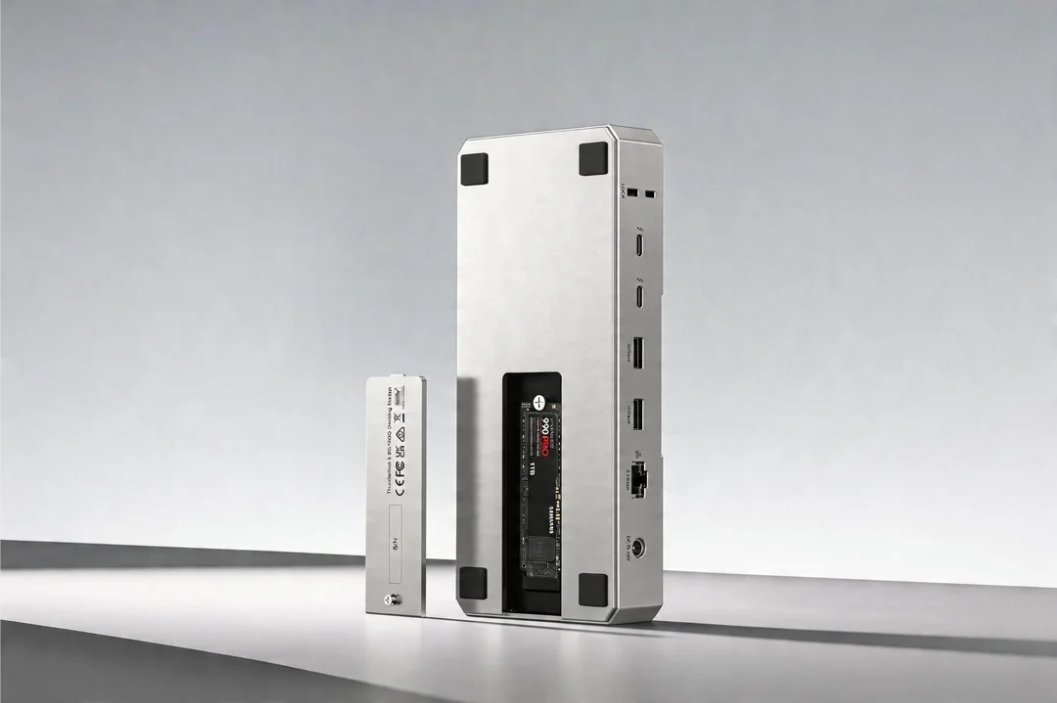
Unlock 6,000MB/s read/write performance by simply adding an M.2 SSD. Move massive files in seconds—no delays, no waiting. Instantly access your entire library, keep your workflow fluid, and stay locked into your creative rhythm.
| Thunderbolt 4 | Thunderbolt 5 | |
|---|---|---|
| Max Transfer Speed | 40Gbps | Up to 120Gbps |
| Video Output | Dual 4K or single 8K | Dual 8K @ 60Hz |
| Power Delivery | 96W | 140W |
| Multitasking | Smooth for everyday use | Rock-solid under heavy |
| Storage Support | SD/TF card | SD/TF card/SSD(up to |
| Best For | Office work / basic | Video editing / AI |
| Connection To Host | 1M Thunderbolt 5 Cable |
| Plug & Play | No Driver required. |
| Computers | Works with Thunderbolt 5, Thunderbolt 4, USB4, USB3.0 computers. |
| Operating Systems | Windows 11 or higher, Mac OS 14.6 later(M chip) or higher |
| Key | Supports only M Key PCIe NVMe M.2 SSDs; does not support PCIe AHCI SSDs. |
| M.2 Form Factor | Compatible with NVMe in sizes: 2280. |
| Port | Thunderbolt 5 UFP * 1, Thunderbolt 5 DFP * 3, USB3.1-A 10G * 4, 2.5G RJ45 * 1, SD4.0 * 1, 3.5MM Audio * 1, M.2 Port * 1 |
| LED | 1 x Power indicator light |
Description : WL-UTD58-M-Manuals
Post Date : 16/04/2026
Available : WL-UTD58-M
Online Reading : View
A Thunderbolt 5 docking station is a high-performance hub that expands a single port into multiple connections, including displays, USB devices, Ethernet, and storage. Compared to Thunderbolt 4, a Thunderbolt 5 dock offers significantly higher bandwidth (up to 120Gbps), enabling faster data transfer, better multi-monitor support, and smoother performance for demanding workflows like video editing and large file transfers.
If you use multiple monitors, high-speed storage, or performance-heavy applications, a Thunderbolt 5 docking station is worth the upgrade. It provides more bandwidth, improved display support, and better overall efficiency compared to Thunderbolt 4 docks, making it ideal for professionals and power users.
If you simply need to expand your computer's ports, we recommend Thunderbolt 4 dock-it's more affordable and meets the needs of average user.
Thunderbolt 5 is a newer technology that was not available when Thunderbolt 3 devices were developed. As a result, most Thunderbolt 3 PCs do not support Thunderbolt 5 docking stations.
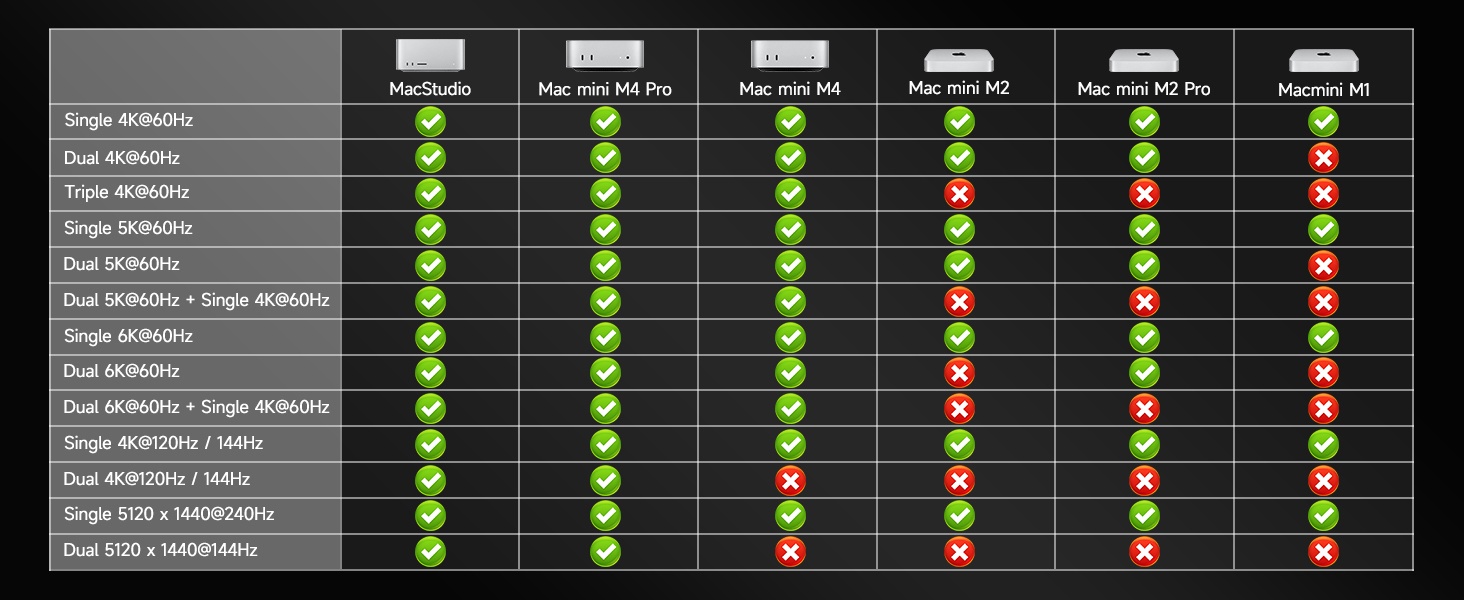
Most Thunderbolt 5 docking stations are fully compatible with both MacBook Pro and Windows laptops that support Thunderbolt or USB4. However, performance features like dual external displays may vary depending on your device and operating system.
For specific computer models and the display types they support, please refer to the previous section.
A Thunderbolt 5 docking station can support multiple monitors, including dual or even triple displays, depending on your laptop and setup. With increased bandwidth, TB5 docks can handle higher resolutions and refresh rates, such as multiple 4K displays or even 8K configurations.
For specific computer models and the display types they support, please refer to the previous section.
To choose the right Thunderbolt 5 docking station, consider your device compatibility, the number of monitors you need, required ports (USB, Ethernet, SD card), and power delivery for charging your laptop. A well-matched TB5 dock ensures maximum performance and a cleaner, more efficient workspace.
Get the Scoop First
Subscribe to our official website to receive exclusive first-hand news and stay up-to-date on our new product releases and promotions!