WAVLINK 13-IN-1 USB-C 8K Display Docking Station, Support 100W Charging, 10G with M.2 NVMe SSD Enclosure, 2500Mbps RJ45 Ethernet, Audio Jack for Windows & Mac OS
  • WAVLINK 13-IN-1 USB-C 8K Display Docking Station, Support 100W Charging, 10G with M.2 NVMe SSD Enclosure, 2500Mbps RJ45 Ethernet, Audio Jack for Windows & Mac OS 1
  • WAVLINK 13-IN-1 USB-C 8K Display Docking Station, Support 100W Charging, 10G with M.2 NVMe SSD Enclosure, 2500Mbps RJ45 Ethernet, Audio Jack for Windows & Mac OS 2
  • WAVLINK 13-IN-1 USB-C 8K Display Docking Station, Support 100W Charging, 10G with M.2 NVMe SSD Enclosure, 2500Mbps RJ45 Ethernet, Audio Jack for Windows & Mac OS 3
  • WAVLINK 13-IN-1 USB-C 8K Display Docking Station, Support 100W Charging, 10G with M.2 NVMe SSD Enclosure, 2500Mbps RJ45 Ethernet, Audio Jack for Windows & Mac OS 4
  • WAVLINK 13-IN-1 USB-C 8K Display Docking Station, Support 100W Charging, 10G with M.2 NVMe SSD Enclosure, 2500Mbps RJ45 Ethernet, Audio Jack for Windows & Mac OS 5

WAVLINK 13-IN-1 USB-C 8K Display Docking Station, Support 100W Charging, 10G with M.2 NVMe SSD Enclosure, 2500Mbps RJ45 Ethernet, Audio Jack for Windows & Mac OS

Model: WL-UMD23M-Pro
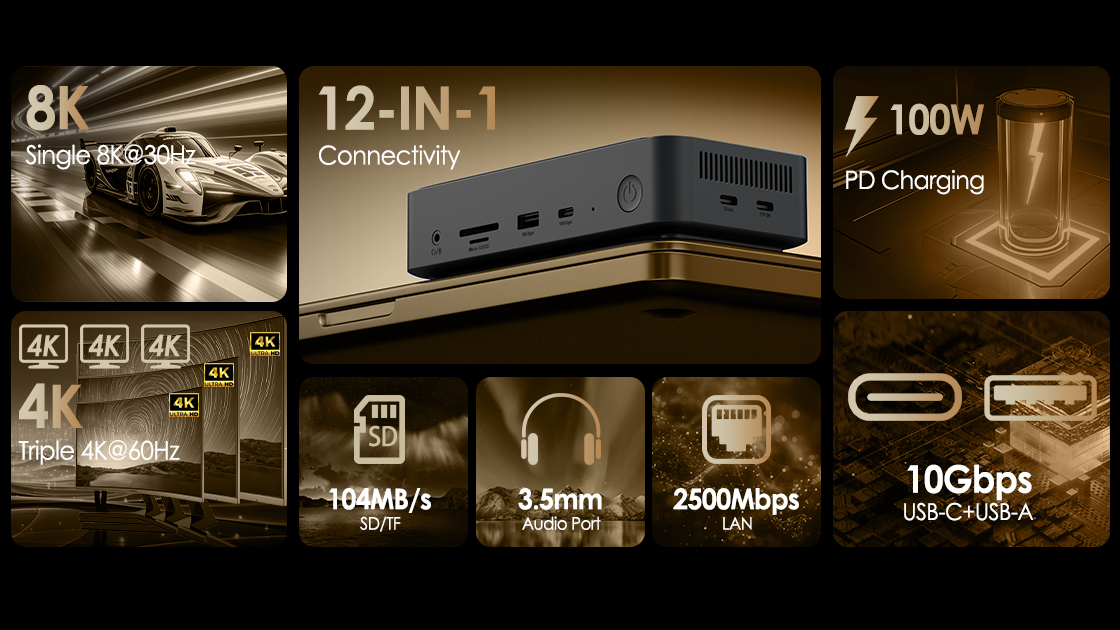
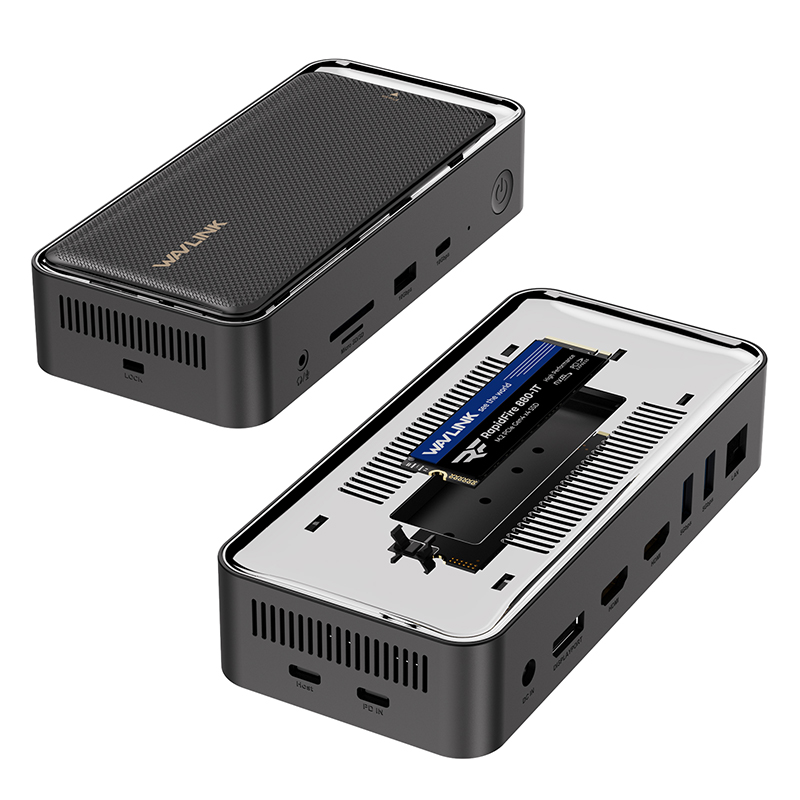
• M.2 SSD Enclosure (Dual Protocol: NVMe / SATA)
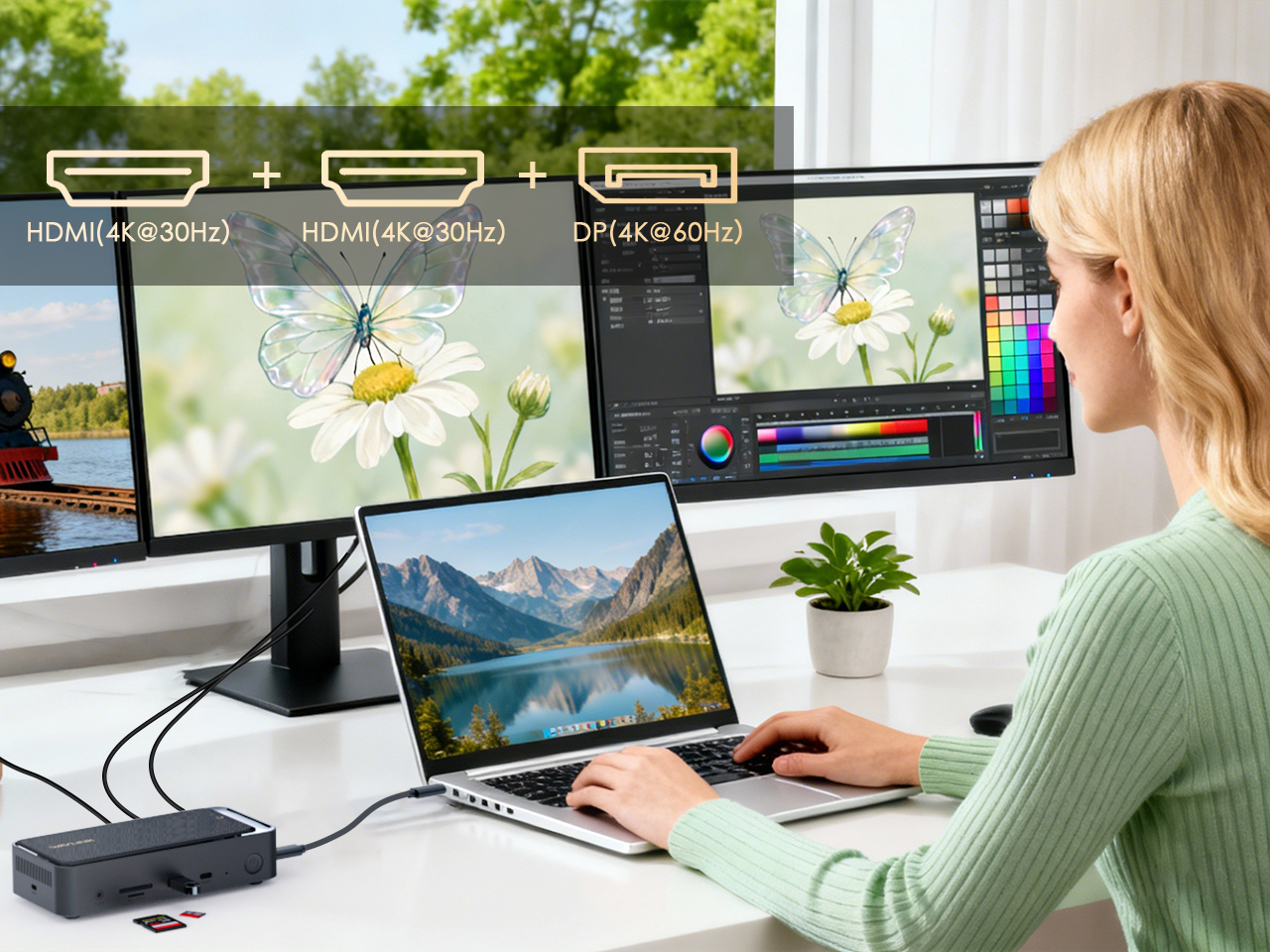
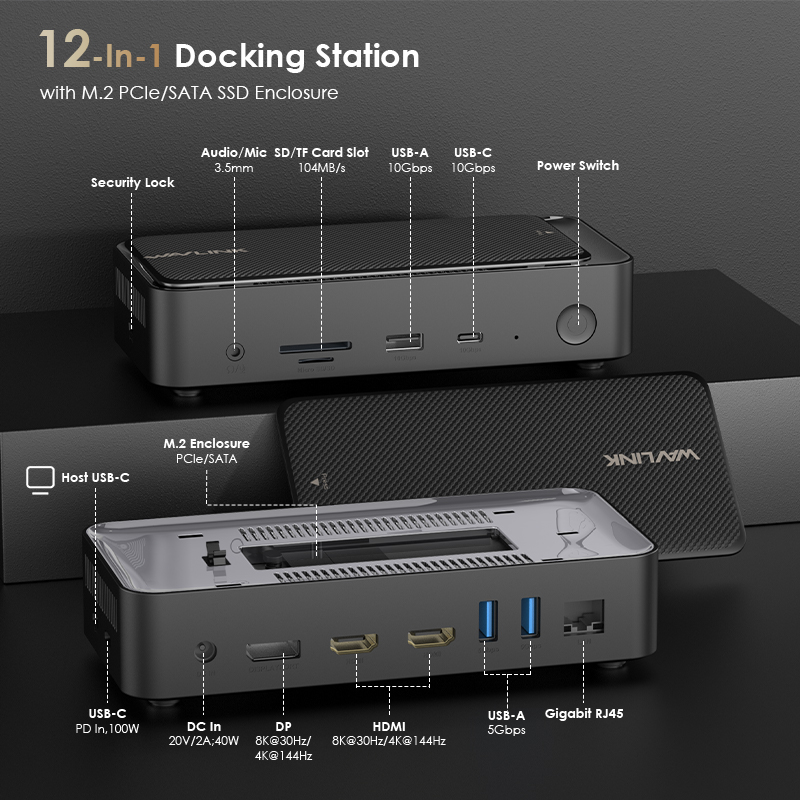
• Video Output: 2x HDMI & 1x DP (Max.: 8K@30Hz or 4K@144Hz)
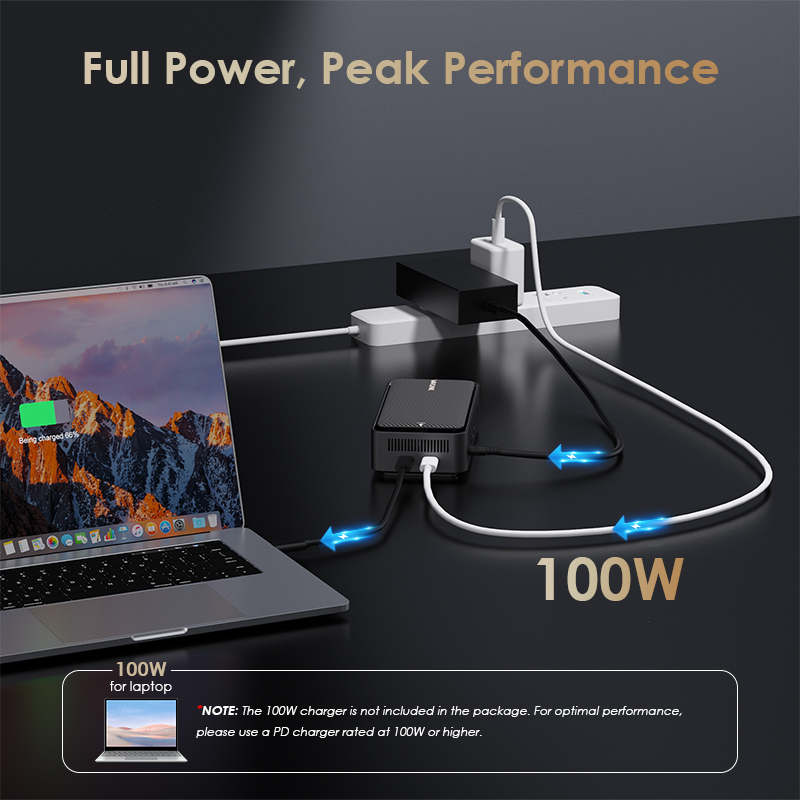
• Power Input: 1x USB-C PD IN (100W Laptop Charging)
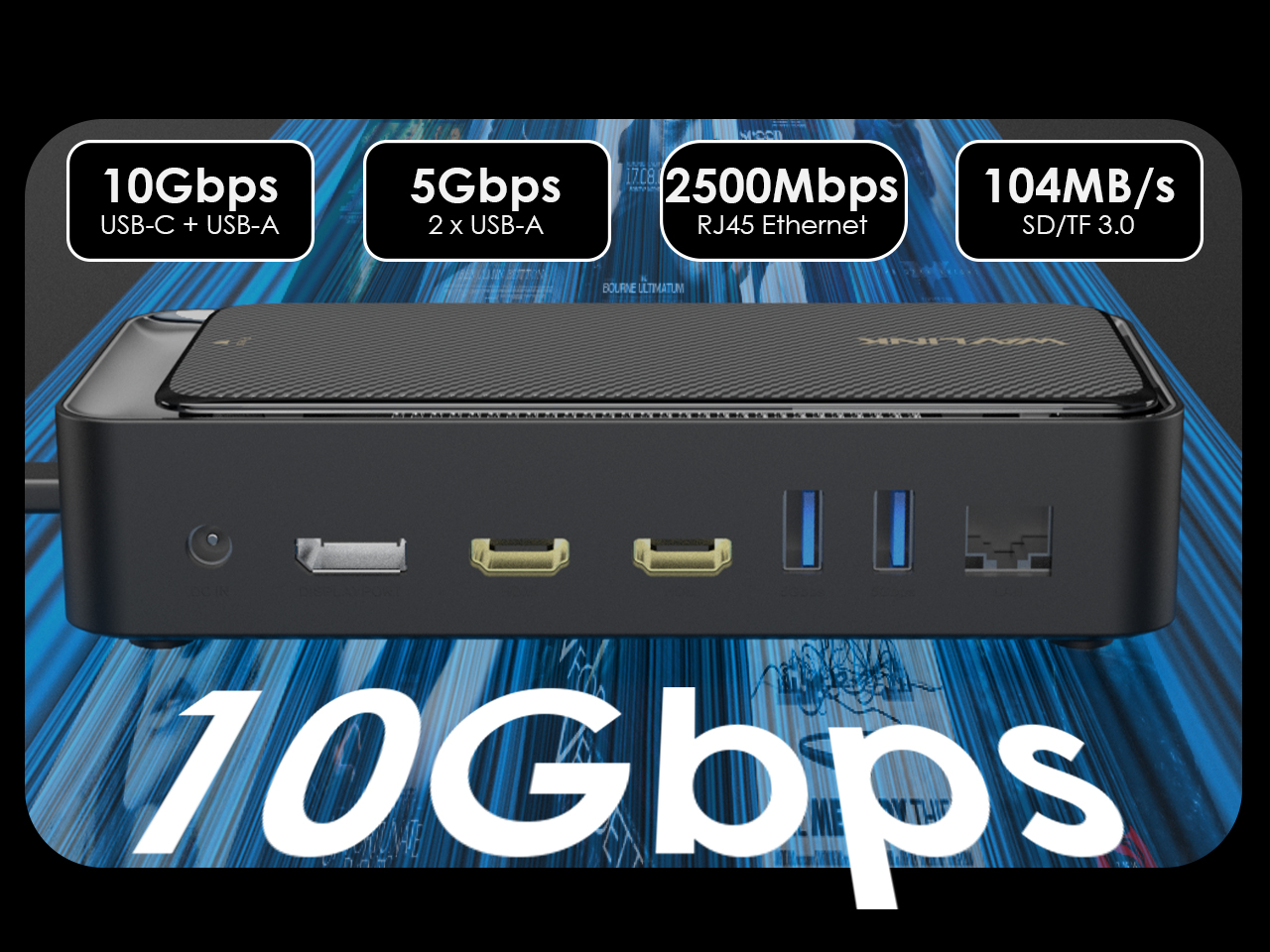
• Data Ports: 1x USB-C (10Gbps), 1x USB-A (10Gbps), 2x USB-A (5Gbps)
• Additional Ports: SD/TF Card Reader, 2.5Gbps RJ45 Ethernet, Audio/Mic Combo Jack
USB-C 8K Display 10G Docking Station
with M.2 Enclosure (PCIe/SATA)
13-in-1: Your Complete Workspace
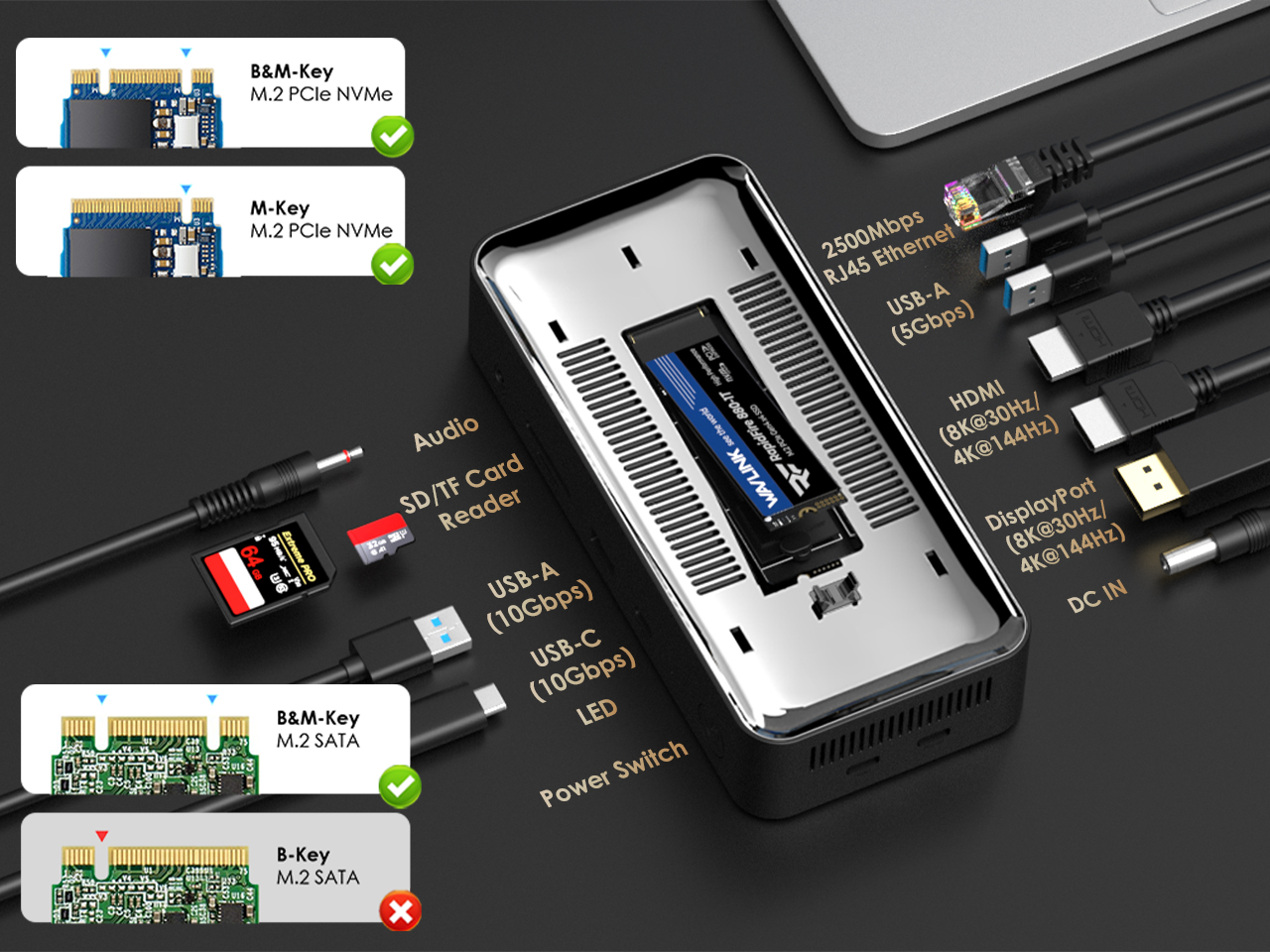
This 13-in-1 docking station is your complete single-cable workspace hub. It neatly organizes all essential connections: the left side offers audio, card readers, and high-speed 10Gbps USB-A/C ports for data and creation. The right side provides ultra-fast 2500Mbps Ethernet, a USB-A port, dual 8K/4K HDMI and DisplayPort outputs, and power input. Instantly transform your laptop into a fully powered, professional desktop station.
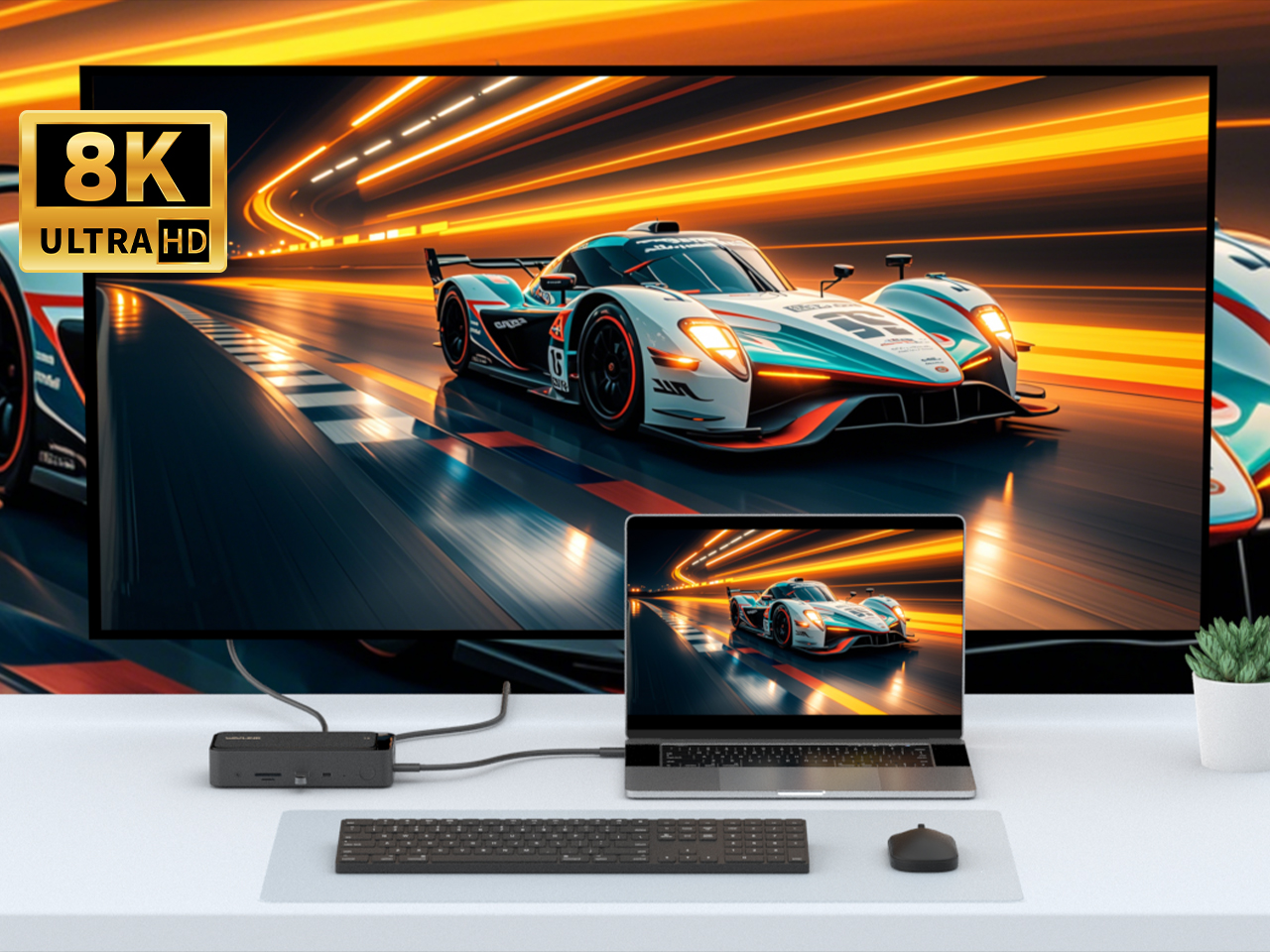
8K Ultra HD: The Ultimate Clarity
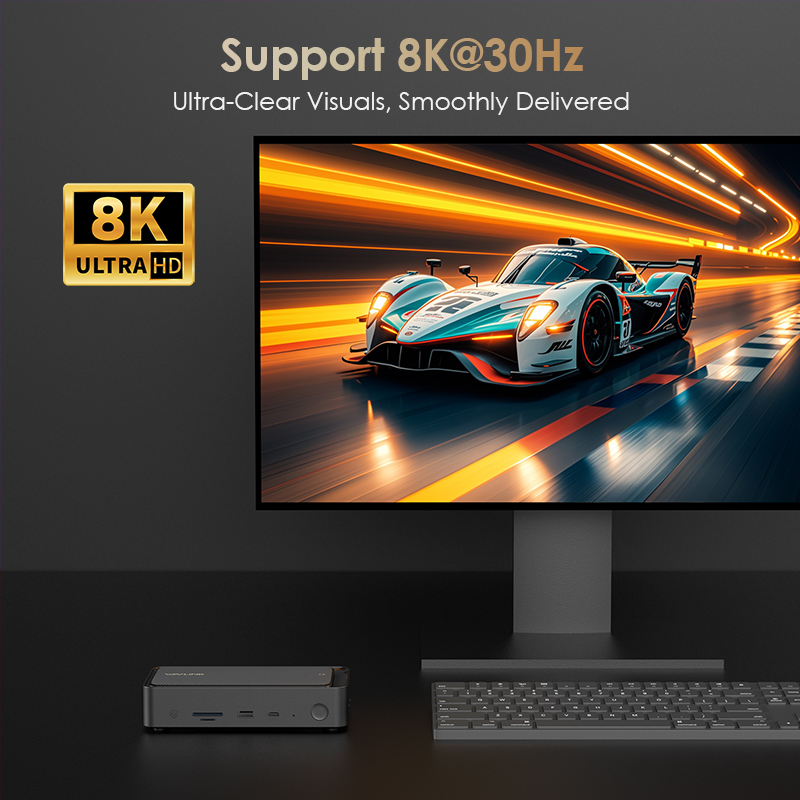
8K Ultra HD is not merely a pixel-packed spectacle, but the ultimate frontier of visual realism. It brings details to life before your eyes, colors burst with vibrancy, and clarity transcends the screen—revealing the world in its truest form. From filmmakers' canvas to cinephiles' sanctuary, witness every detail and experience everything.

Triple 4K: Beyond One Screen
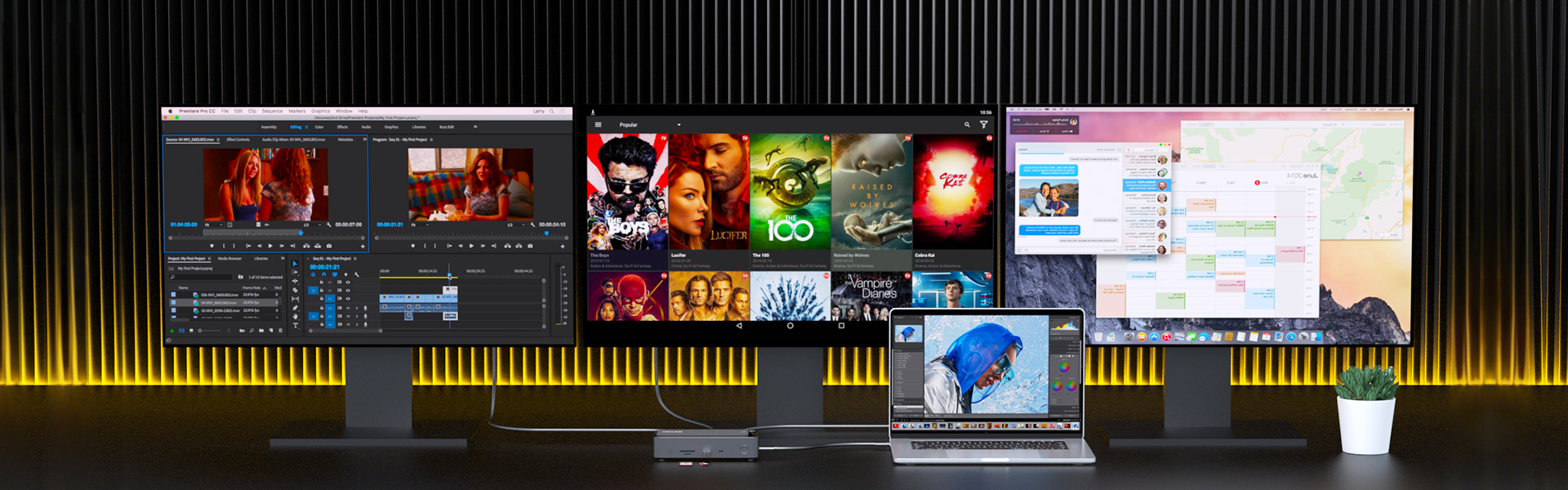
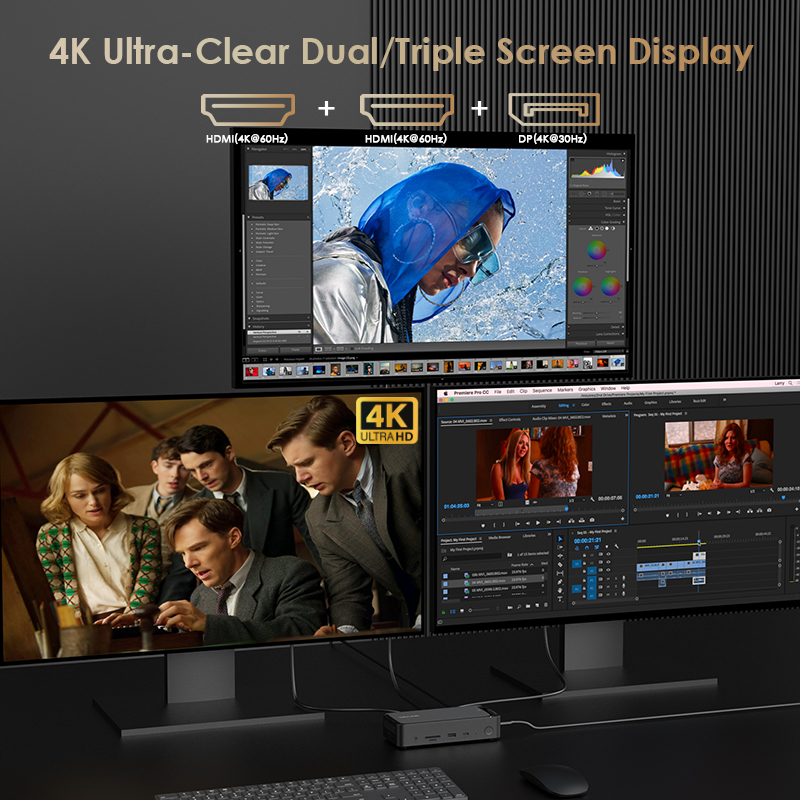
Three 4K displays aren't just extra screens—they're a seamless extension of your vision and workflow. Break free from single-screen constraints. Immerse yourself in a panoramic 4K canvas where code, previews, charts, and timelines coexist seamlessly. Enjoy fluid collaboration without frantic switching. Every detail shines in stunning 4K clarity, elevating your creative vision. Triple 4K isn't just an upgrade—it's expanding your perspective and mastering your workflow.

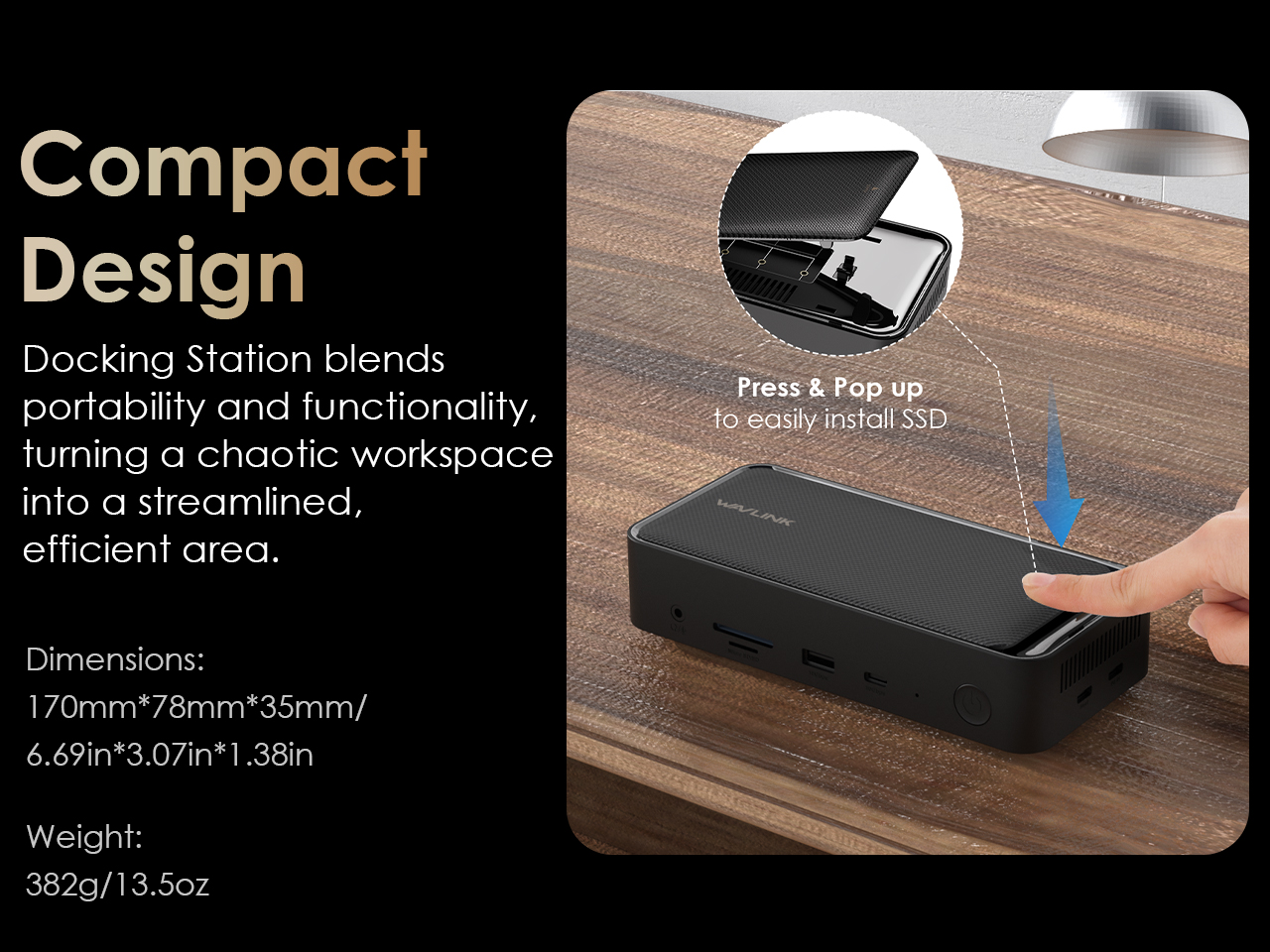
Small Form, Big Impact
Compact design not only saves space but also means the freedom to enjoy full functionality anytime, anywhere. Easily stow it in your backpack, seamlessly integrate it into your desk setup, and effortlessly transition between mobile and stationary work. Small size isn't a compromise—it's the intelligent evolution of functionality. Work efficiently wherever you go and perform at your peak.

Effective Heat Dissipation
Engineered for sustained high-performance operation, this device features an advanced thermal management system. The aluminum alloy shell enhances heat dissipation, while the intelligent temperature-controlled fan ensures quiet and efficient cooling under heavy loads—keeping performance stable over time.

Specifications

Connection To Host USB-C to USB-C Cable (with E-mark)
Plug & Play For Windows 10/11 Later and Mac OS, supports plug and play
Ethernet Speed 1 x RJ45 Port, Supports 10M / 100M / 1000M / 2500Mbps
LED Indicators 1 x Power LED (Blue)
Operating Systems Microsoft Windows 10/11
Apple Mac OS 11 or later (Can extend a different display ONLY)
Laptop/PC at least has one Thunderbolt 3/4/5 or full-functional USB-C port with Video Alt Mode and Data Transfer
To use PD function, it requires laptop to support PD 3.0
In the Box 1x USB-C Docking Station
1x USB-C to USB-C Cable(with E-mark)
1x DC20V/2A Power Adapter
1x Quick Start Guide

Q&A

Why doesn’t my external monitor work with this dock?

1.Your computer’s USB-C port must support DisplayPort Alt Mode (video output) for the external monitor to function through the dock. To verify this,you could contact the laptop/pc manufacturer or contact our support team and tell us the detail model number of your laptop.

2.If the docking comes with a type-c cable,please make sure you should use the original type-c cable.

Why do all external monitors show the same screen on my Mac?

This dock uses MST (Multi-Stream Transport) technology. macOS does not support MST, so all connected displays will mirror the same screen.

This is a limitation of macOS, not a defect of the dock.


Why doesn’t this dock charge my computer when connected?

Please ensure that your computer’s USB-C port supports charging. If the dock does not come with a power adapter, please connect a compatible power adapter to the dock to enable the charging function.

Why can’t I find the driver for this dock on your website?

This dock is driver-free and supports plug-and-play functionality. Please ensure that your computer’s USB-C port supports video output for the external monitor to work with the dock.

My computer only has USB-A port and no USB-C port. Can I use a USB-C to USB-A adapter with this dock?

No. This dock requires a native USB-C port that supports both data transfer and video output to function properly.

Why does my laptop show “slow charging”?

Please ensure that the power adapter you are using with the dock is in good condition. If possible, try using a different power adapter, another USB-C port on your computer, or another computer for testing. If the slow chargingmessage still appears, please contact our support team for further assistance.

I connect three monitors to the docking, but only two of them could work, what can I do?

To ensure that four monitors can function properly (one built-in display and three external displays), your GPU must support up to four displays simultaneously. Please note that not all GPUs have this capability.


If you are unsure whether your device supports this feature, we kindly recommend contacting your laptop or PC manufacturer for confirmation. Alternatively, you may reach out to our support team and provide the detailed model number of your laptop—we will be happy to assist you further.

Why the resolution was not advertised?

The maximum supported resolution depends on the DisplayPort (DP) version of the host USB-C port. We kindly recommend referring to the user manual to check the supported resolutions for different DP versions.


If you are unsure about the DP version of your device’s USB-C port, please contact your laptop or PC manufacturer for confirmation. Alternatively, you may reach out to our support team, and we will be happy to assist you further.

Top

Get the Scoop First

Subscribe to our official website to receive exclusive first-hand news and stay up-to-date on our new product releases and promotions!